The Summary of BigSeller APP Instructions
How to Process Orders in BigSeller APP (Summary)?
[New] Introduction of App General Settings
How to Print a POS Business Statement (BigSeller App)
How to Create POS Retail Orders (BigSeller APP)
How to Sign up BigSeller account? (BigSeller APP)
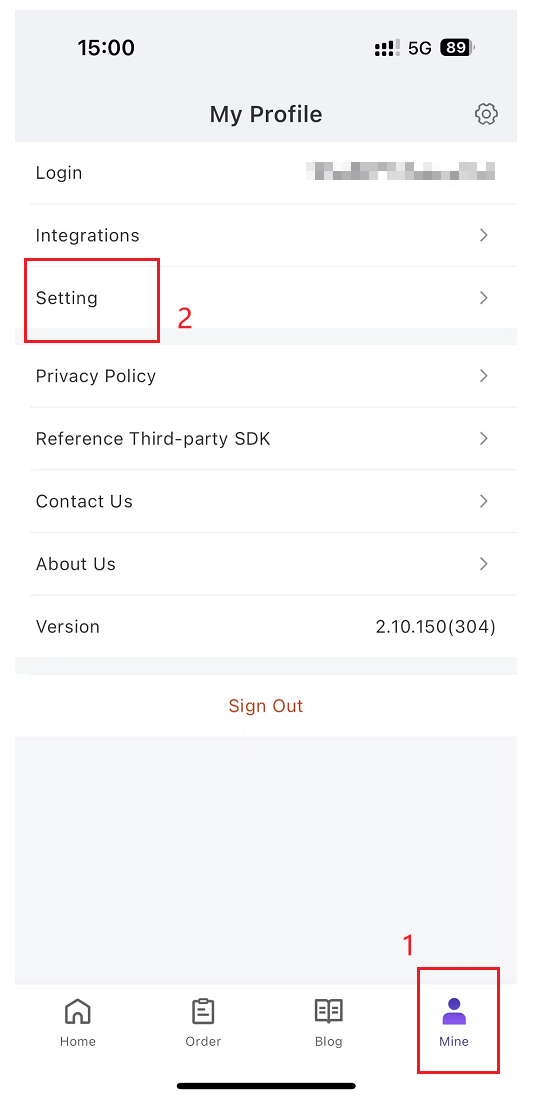
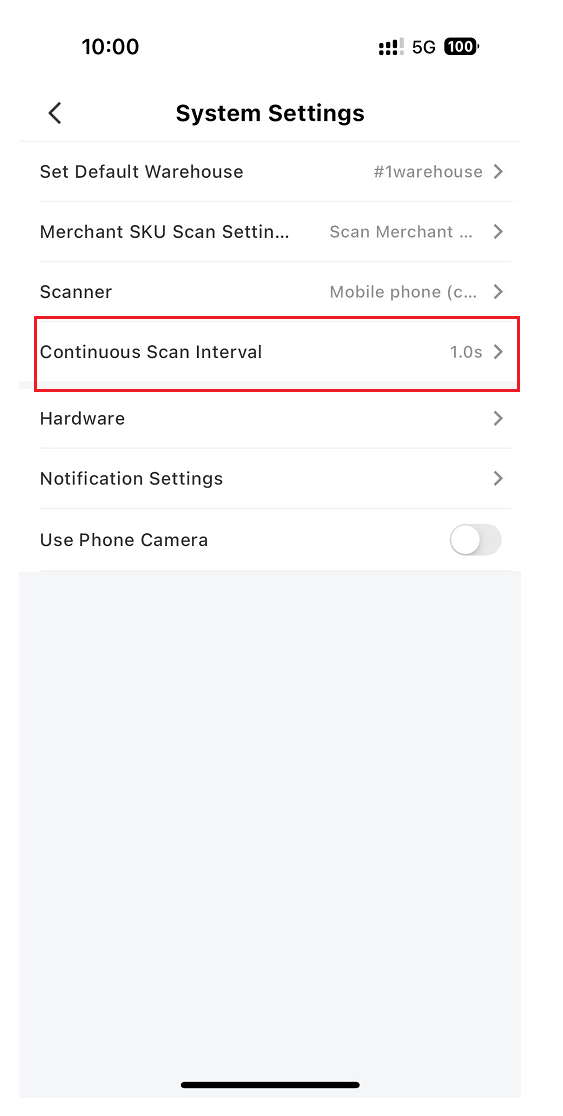
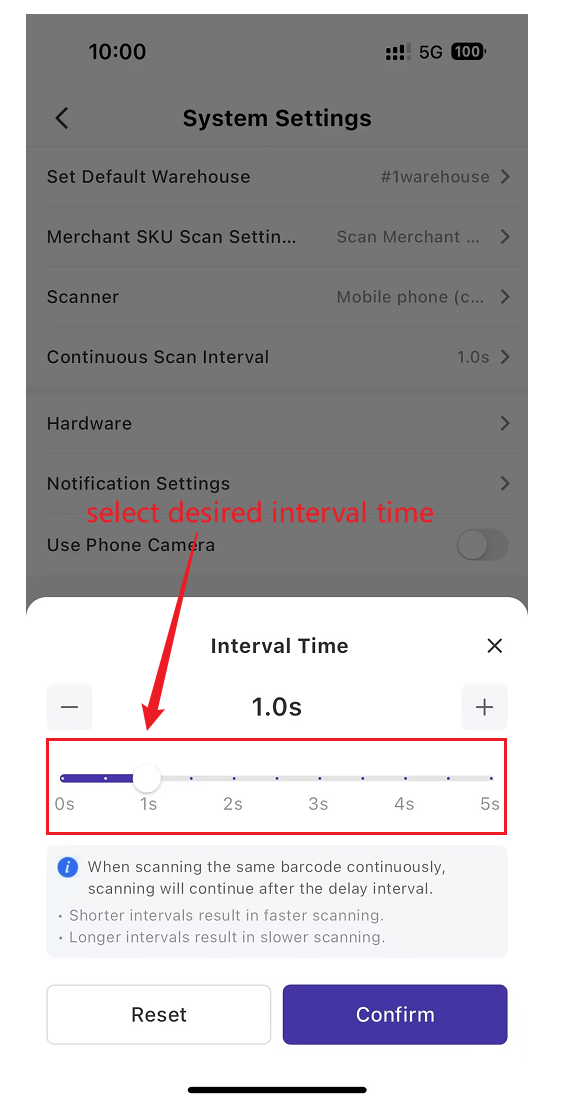
🔥[NEW ]How to Set Continuous Scan Interval On the App?
How to use scan to ship function in BigSeller APP?
🔥 [New] How to Use Wave Feature in BigSeller APP?
How to Use Move Feature in BigSeller APP
4 Ways to Move Inventory Inside the Warehouse using BigSeller APP
Connect stores to BigSeller - Shopee (BigSeller APP)
Connect stores to BigSeller - Lazada (BigSeller APP)
Connect stores to BigSeller - TikTok Shop (BigSeller APP)
How to use Scan to Check Order Function in APP?
How to Use Scan to Receive Stock (BigSeller App)
Introduction to Capture Proof - Automatic Photo Capture and Sending Feature
How to Use Capture Proof (Save Images Only)
How to Use Capture Proof to Send Image via Duoke
How to Use Inventory Query In BigSeller APP
How to print shipping labels in BigSeller app?
How to Pack Orders in BigSeller APP?
How to use Quick Stock Count feature on BigSeller APP?
How to Scan Returns to Stock-in in BigSeller APP?
How to check live sales data on BigSeller APP?
How to manually stock out in BigSeller APP (deduct stock)
How to Process Third Party Warehouse Orders Using the BigSeller APP?
How to manually stock in on BigSeller APP (increase stock)
How to enable the order and inventory alert notification on BigSeller APP?
Inventory Restock Using BigSeller APP
How to scan to ship orders with BigSeller APP in PDA?
How to scan to check order with BigSeller APP in PDA?
How to Off Shelf and On Shelf with BigSeller APP?
How to Change Shelf using BigSeller APP?