How to Get Client Secret and Client ID from MyInvois System?
Copy link & title
Update Time: 04 Dec 2025 12:13
Step 1: Log in to the Malaysian tax authority's official website: https://mytax.hasil.gov.my/
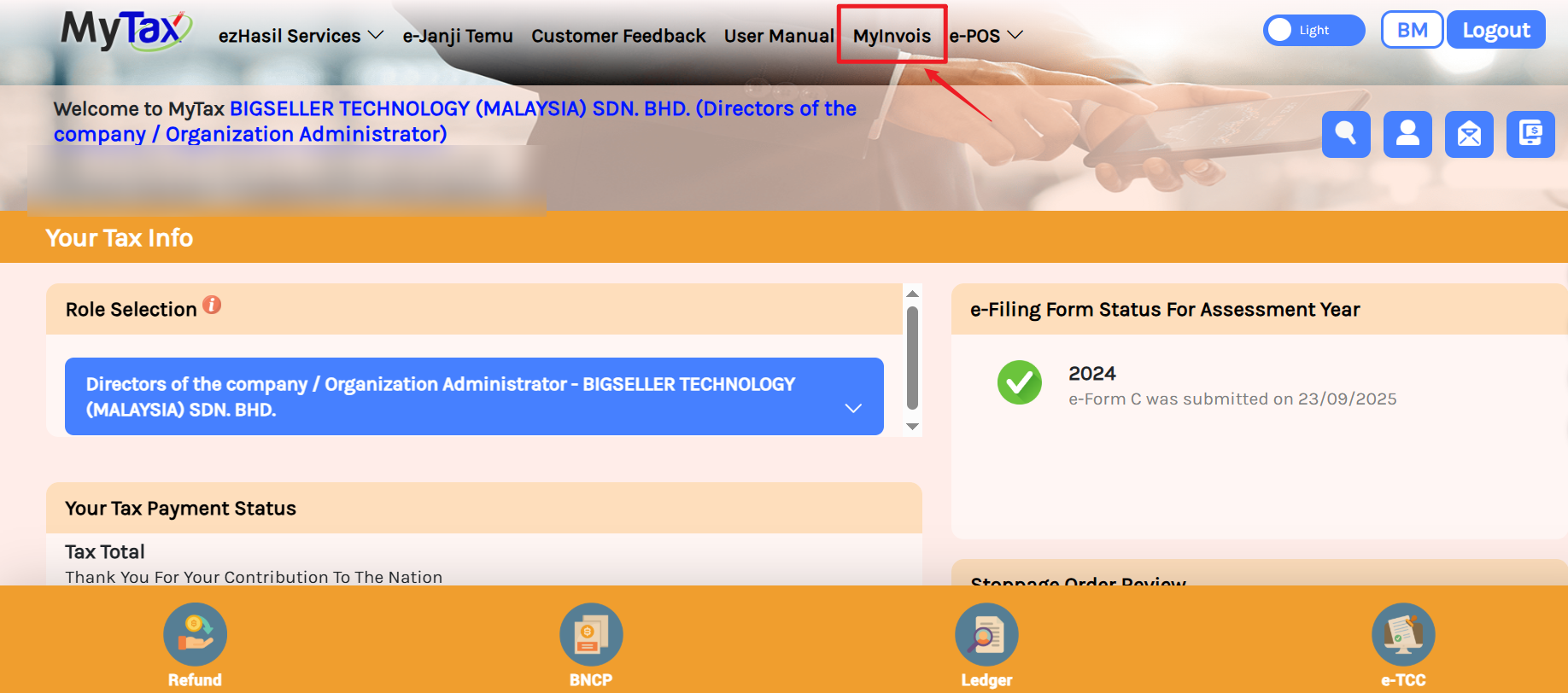
Step 2: In the navigation bar, find MyInvois.
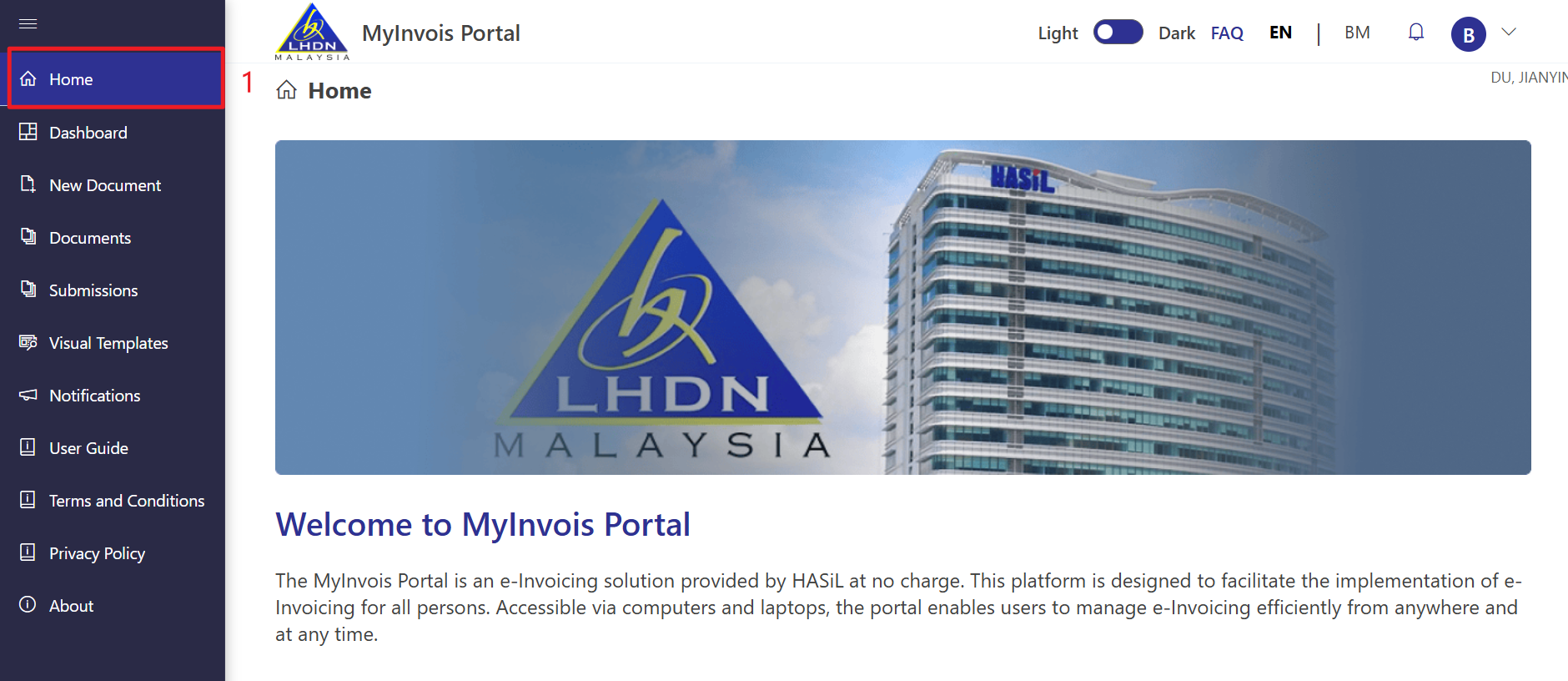
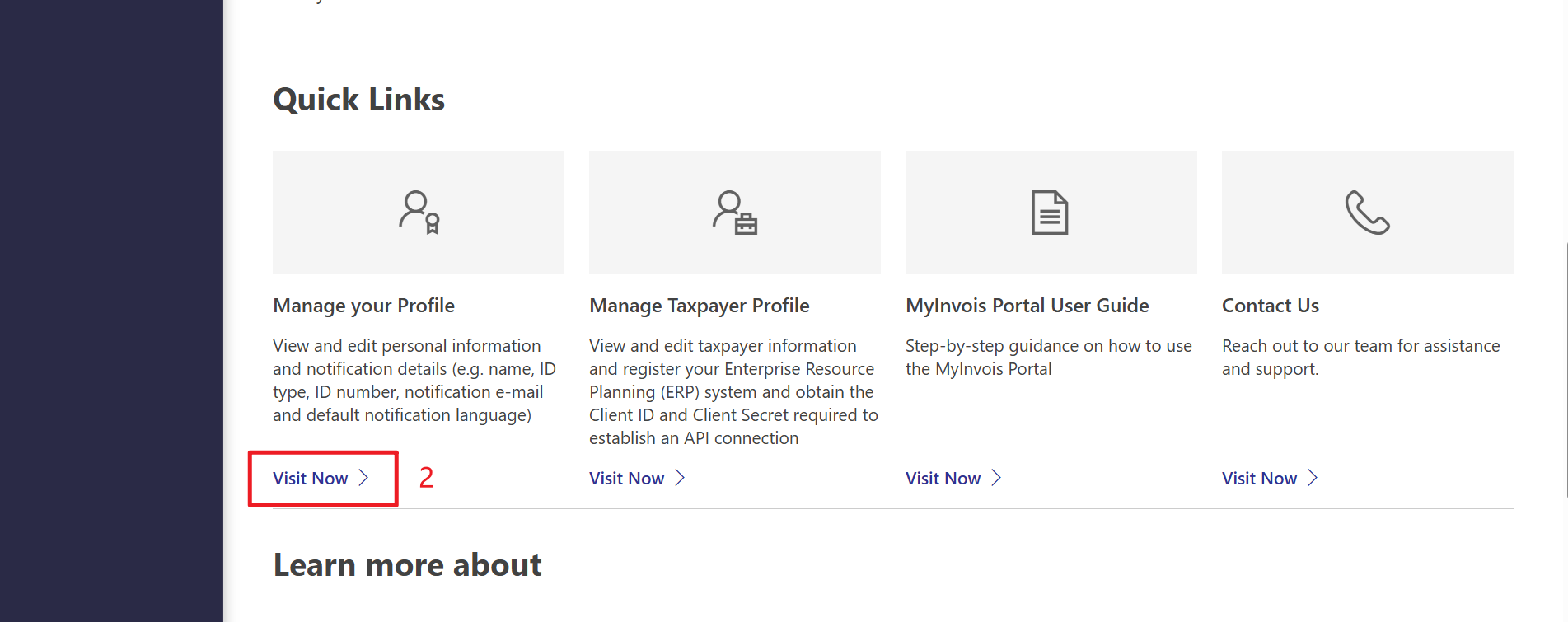
Step 3: Click Home, then click Visit Now under Manage Your Profile.
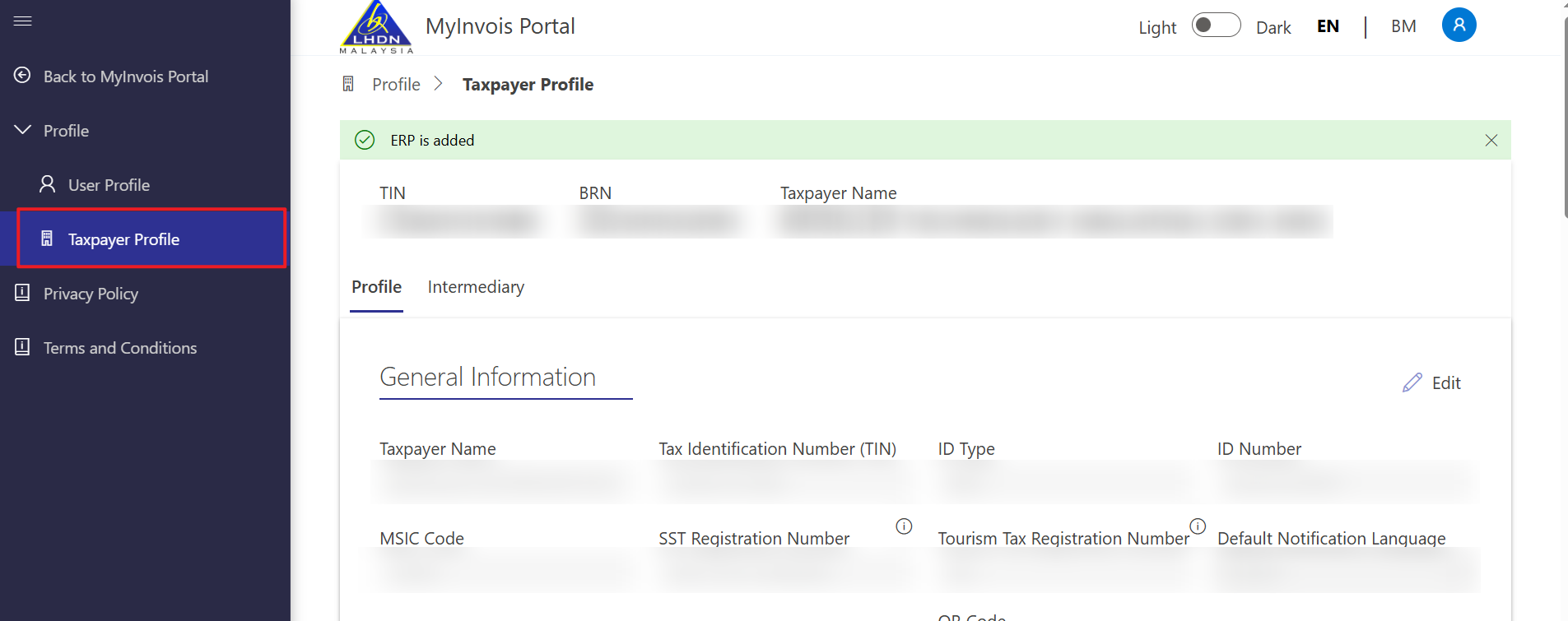
Step 4: Select Taxpayer Profile.
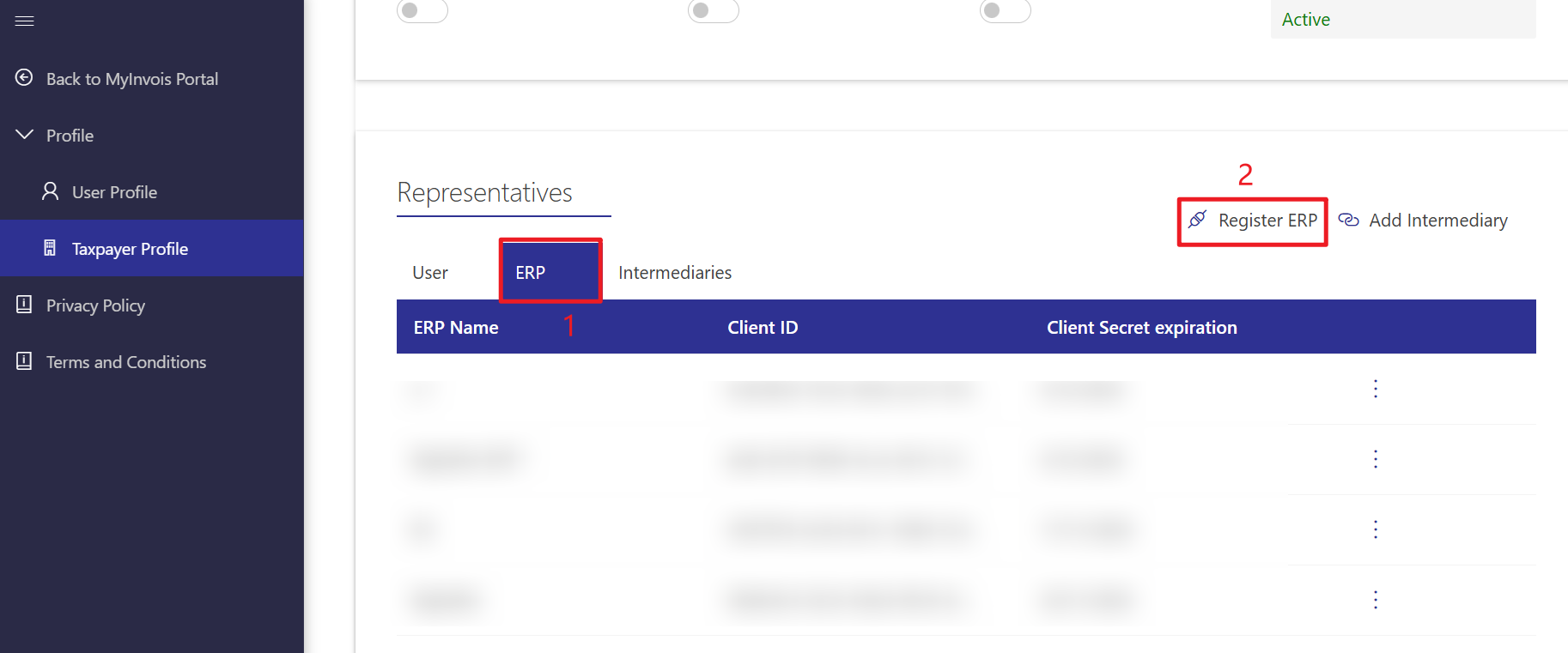
Step 5: Choose ERP and click Register ERP.
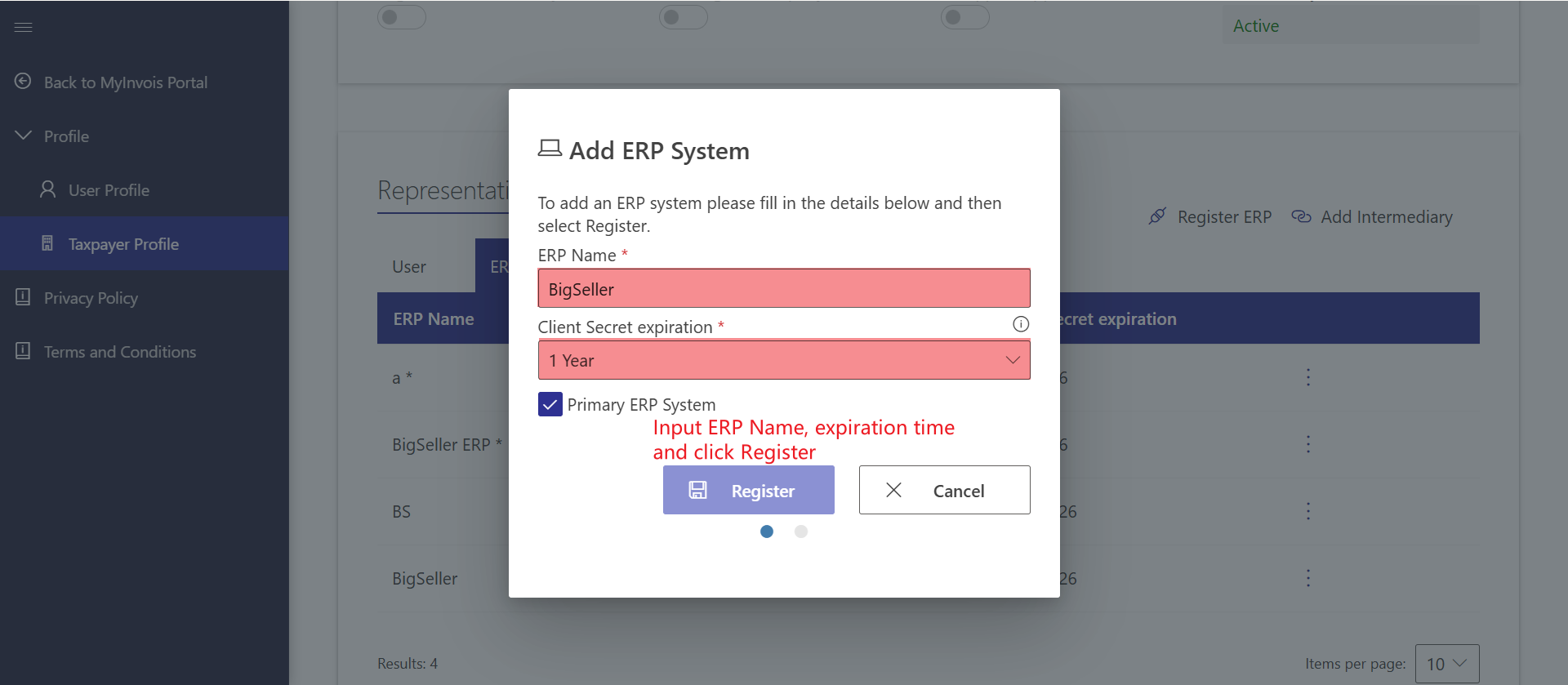
Step 6: Enter "BigSeller" as the ERP name, select the authorization duration, and click Register.
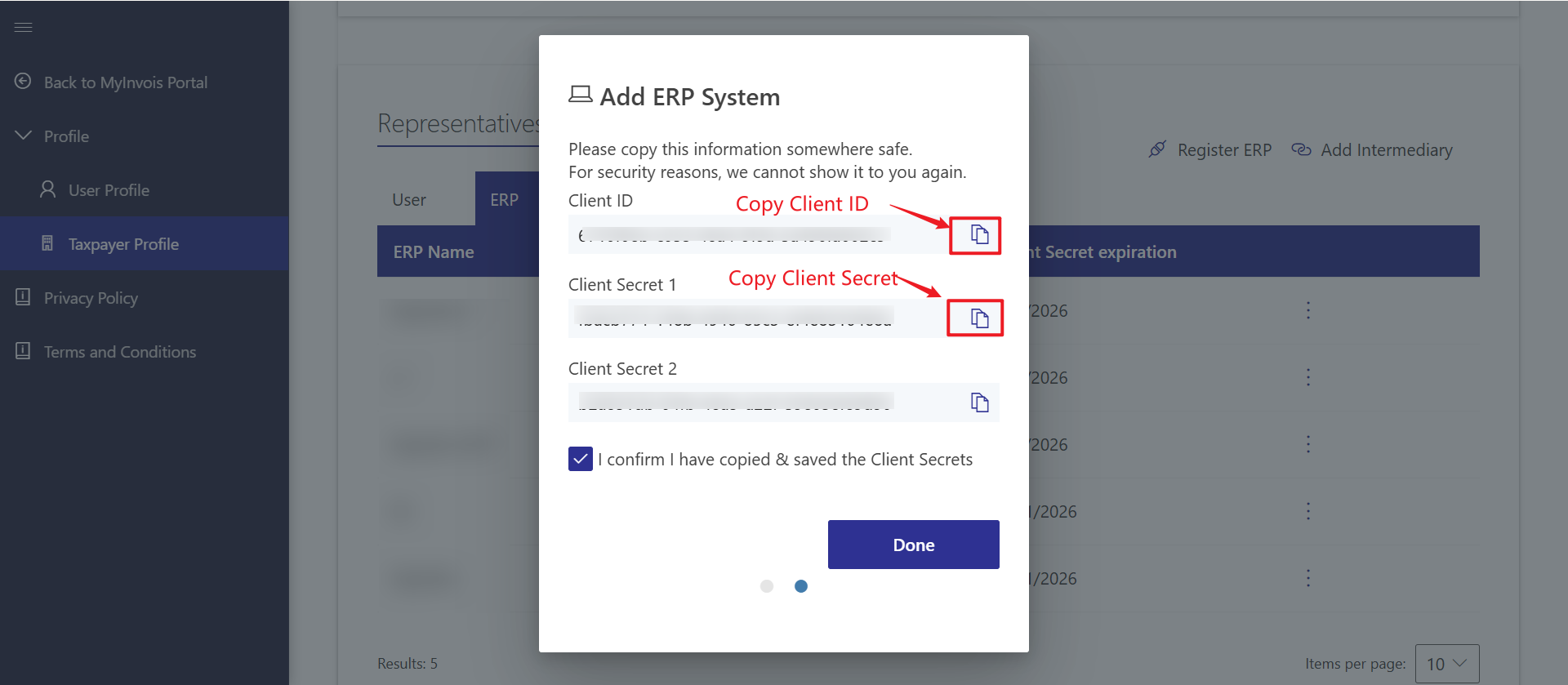
Step 7: Copy the Client ID and Client Secret from the screen into the corresponding fields in BigSeller.
Is this content helpful?
Thank you for your feedback. It drives us to provide better service.
Please contact us if the document can't answer your questions