How to Manage Products of TEMU Semi-Consignment Store?
Update Time: 25 Nov 2025 03:27
Currently, TEMU semi consignment stores are supported for product publishing in BigSeller. You can also copy listings from Shopee and TikTok Shop to TEMU semi-managed stores for faster product listing.
1. Introduction to Temu - Draft Page
1.1 Publish Products
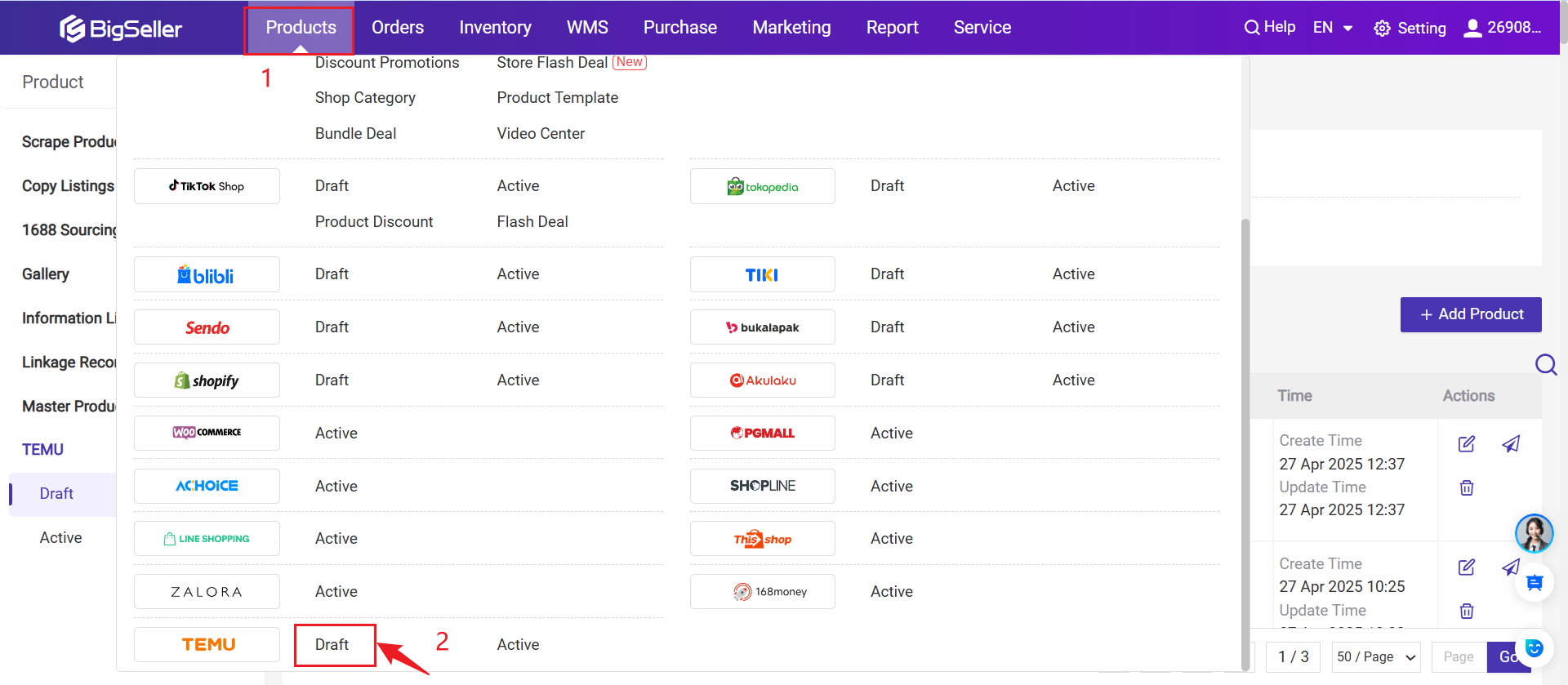
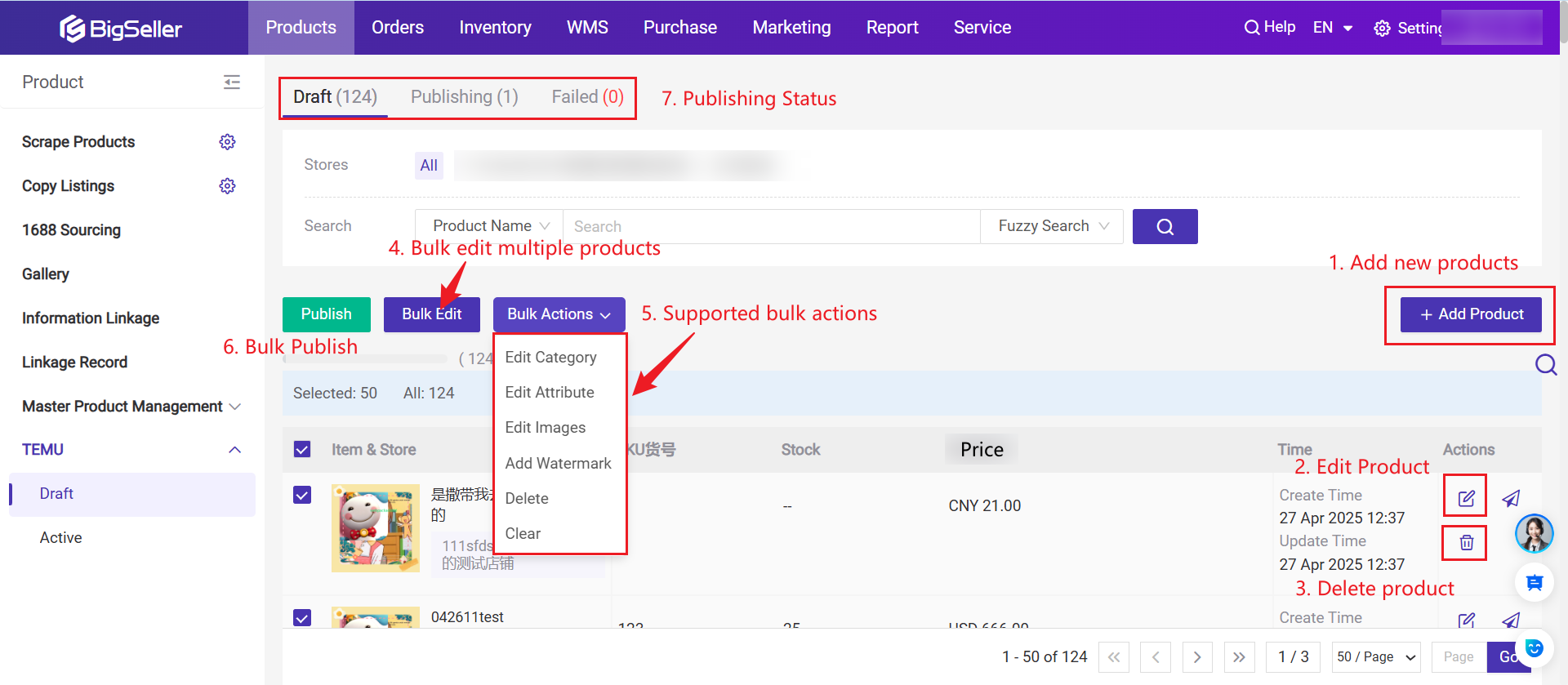
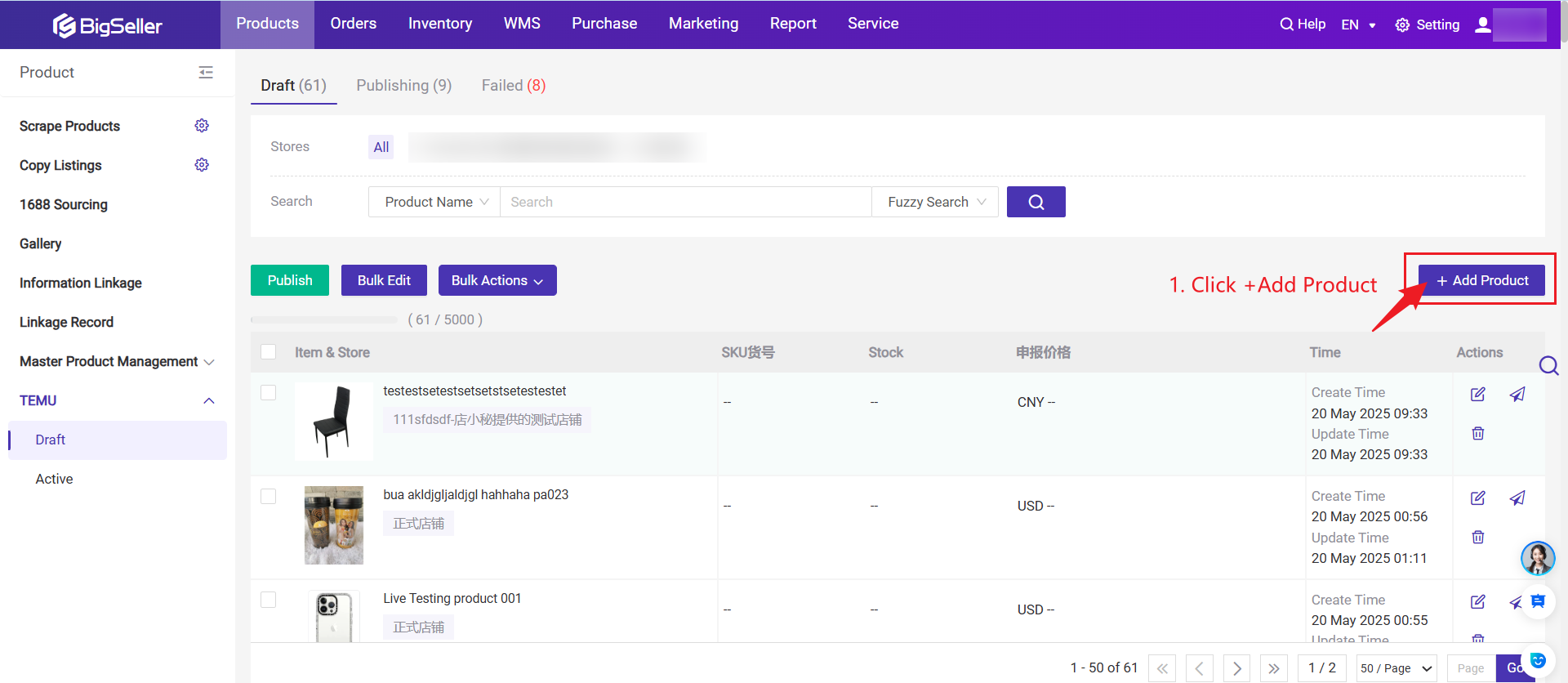
Step 1: Click + Add Product
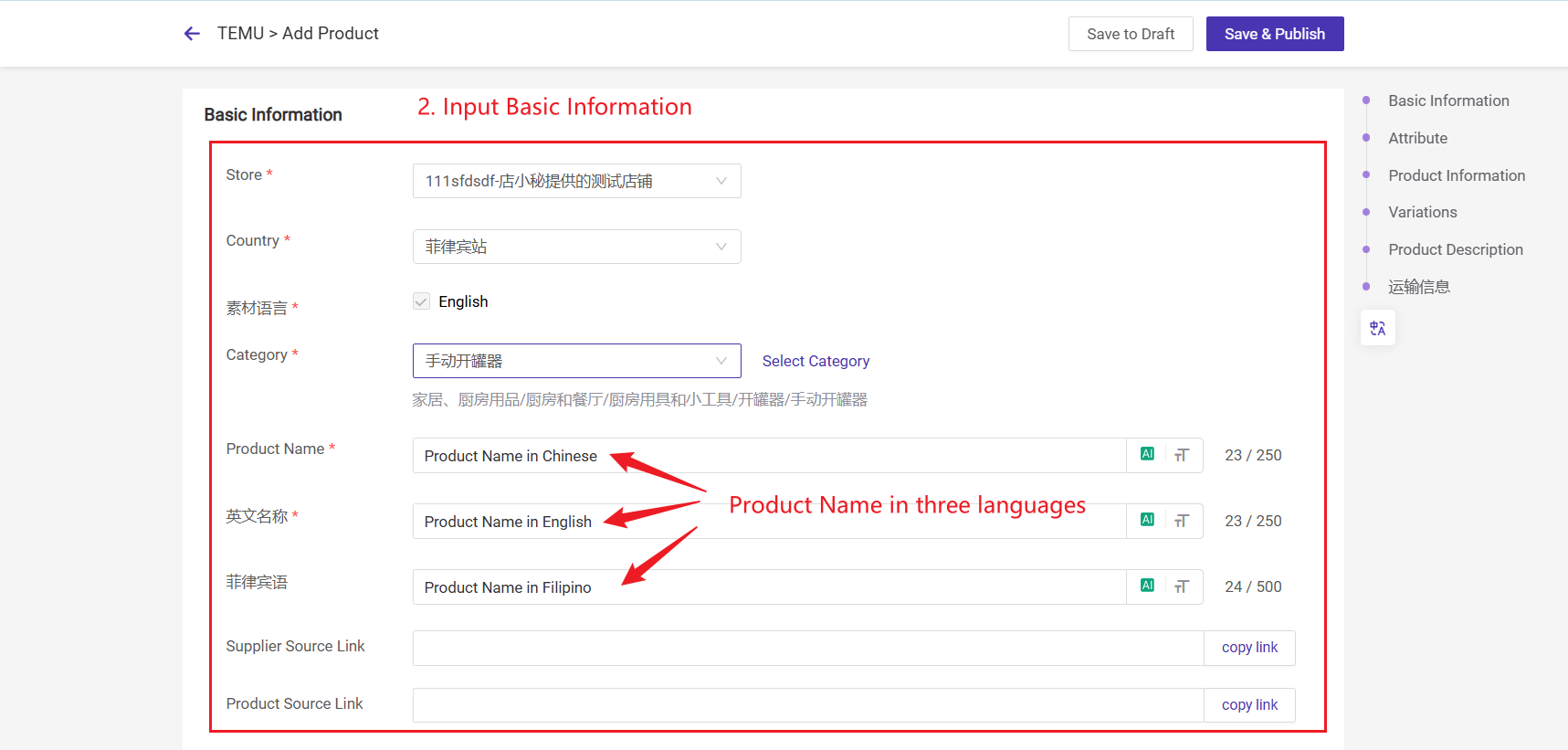
Step 2: Fill in product information
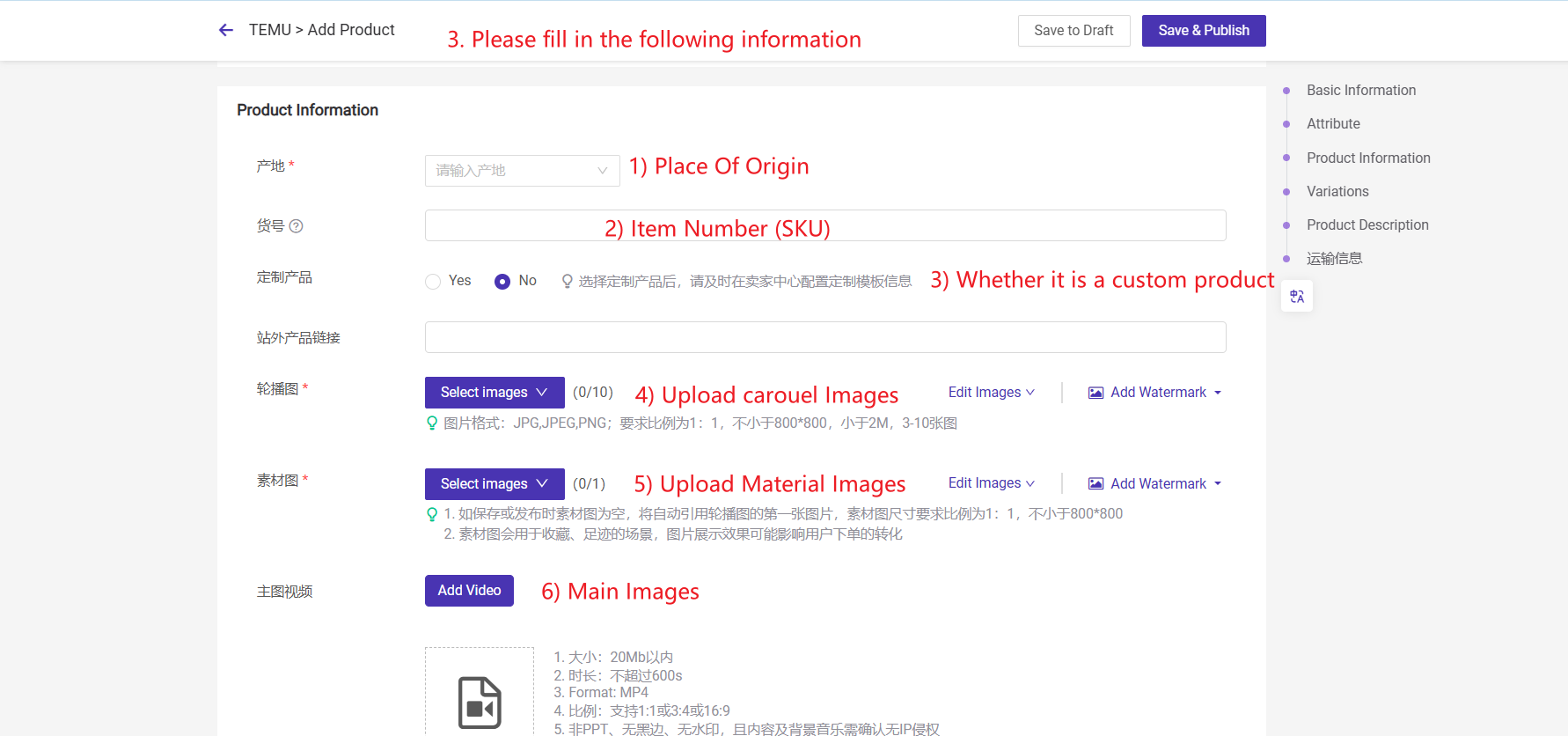
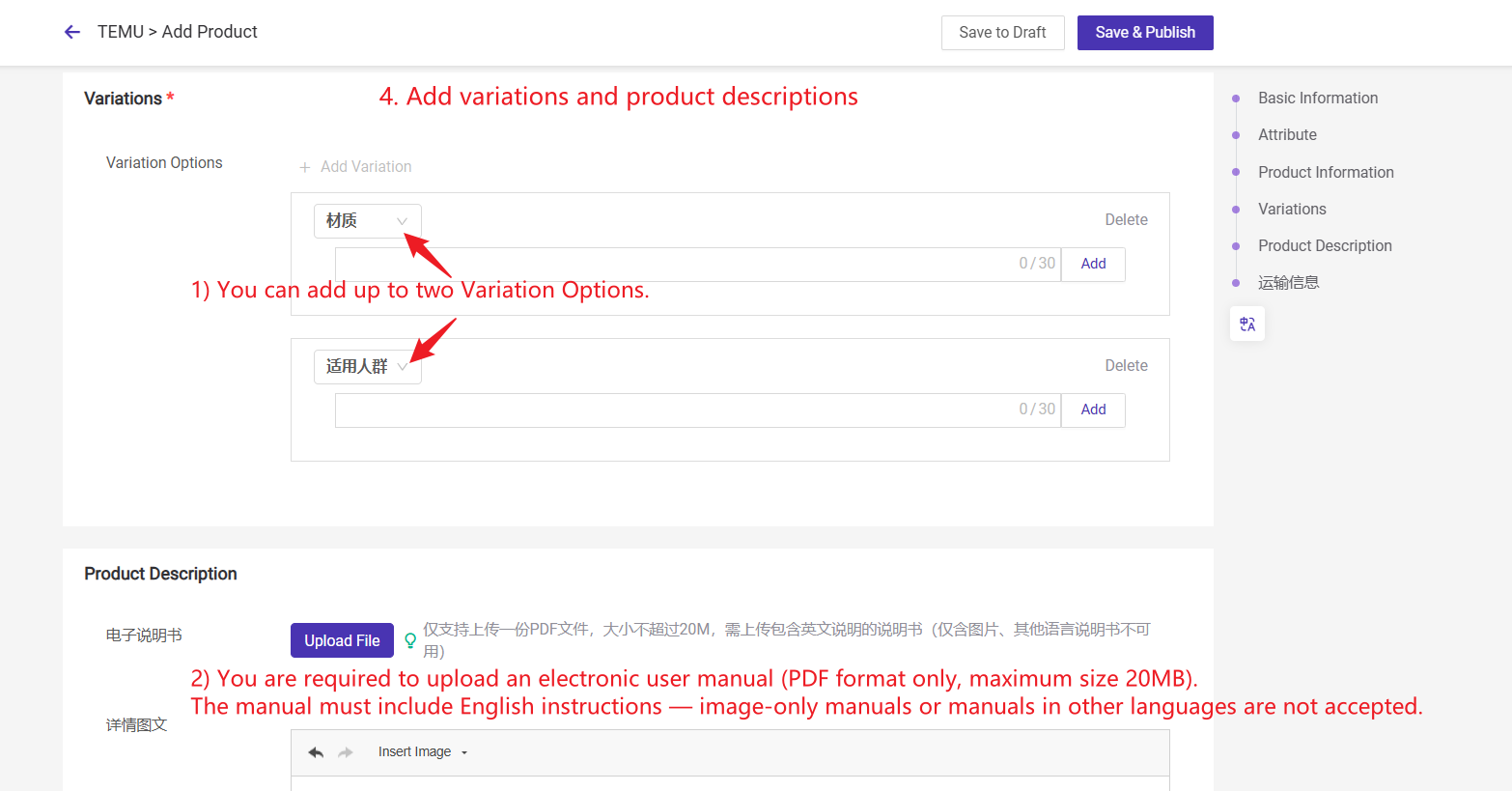
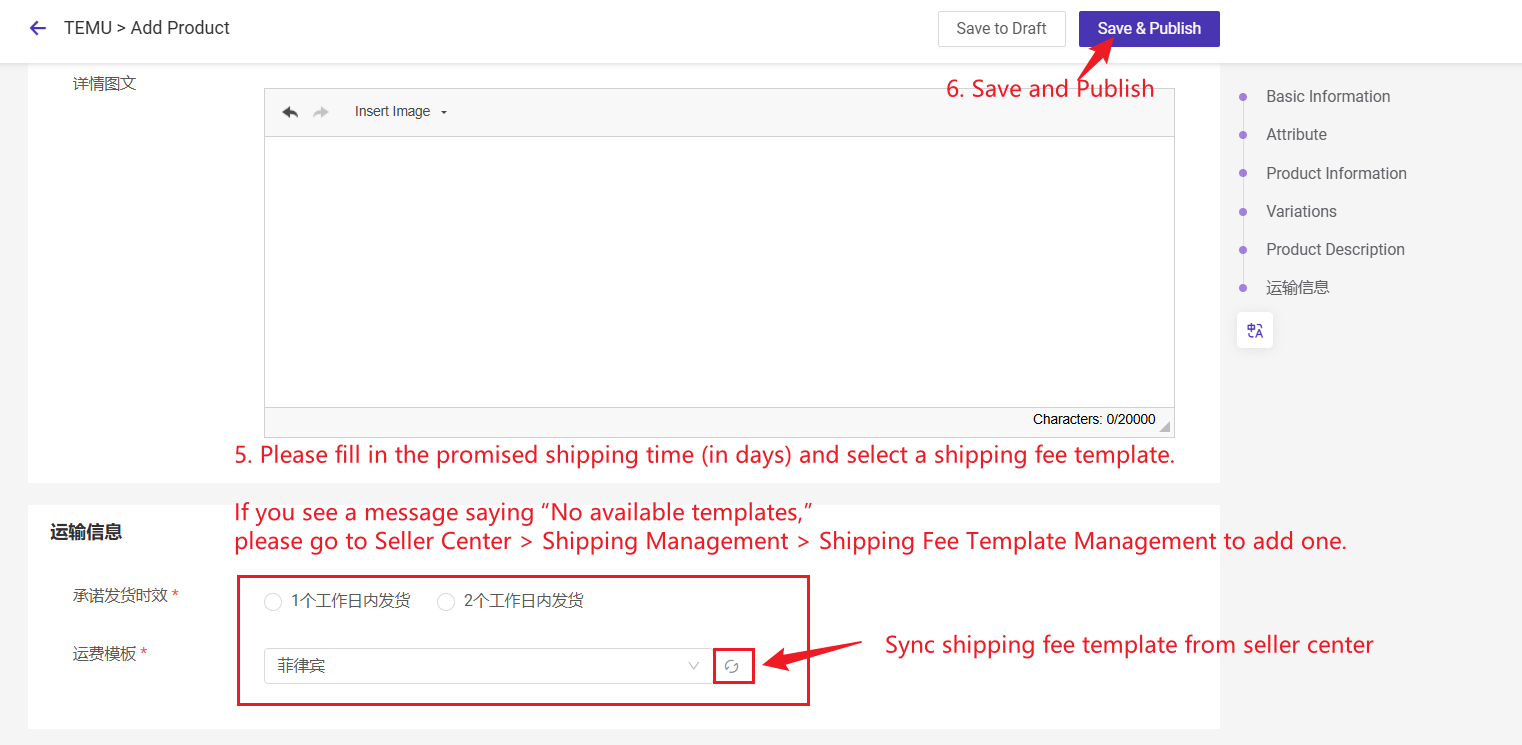
1.2 Copy Listings
Step 1: Go to Copy Listings page and select products from Shopee or TikTok Shop
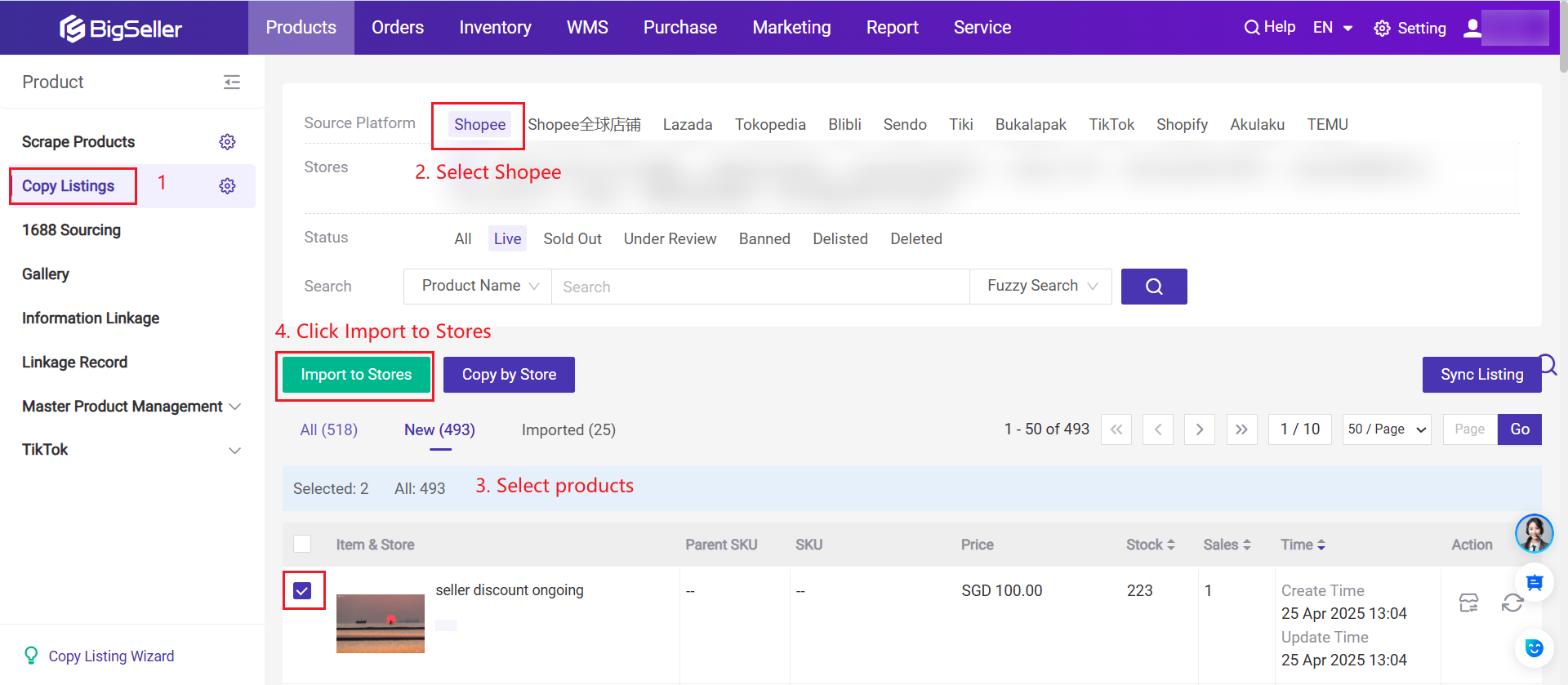
Step 2: Import products to the draft list of TEMU semi-consignment store.
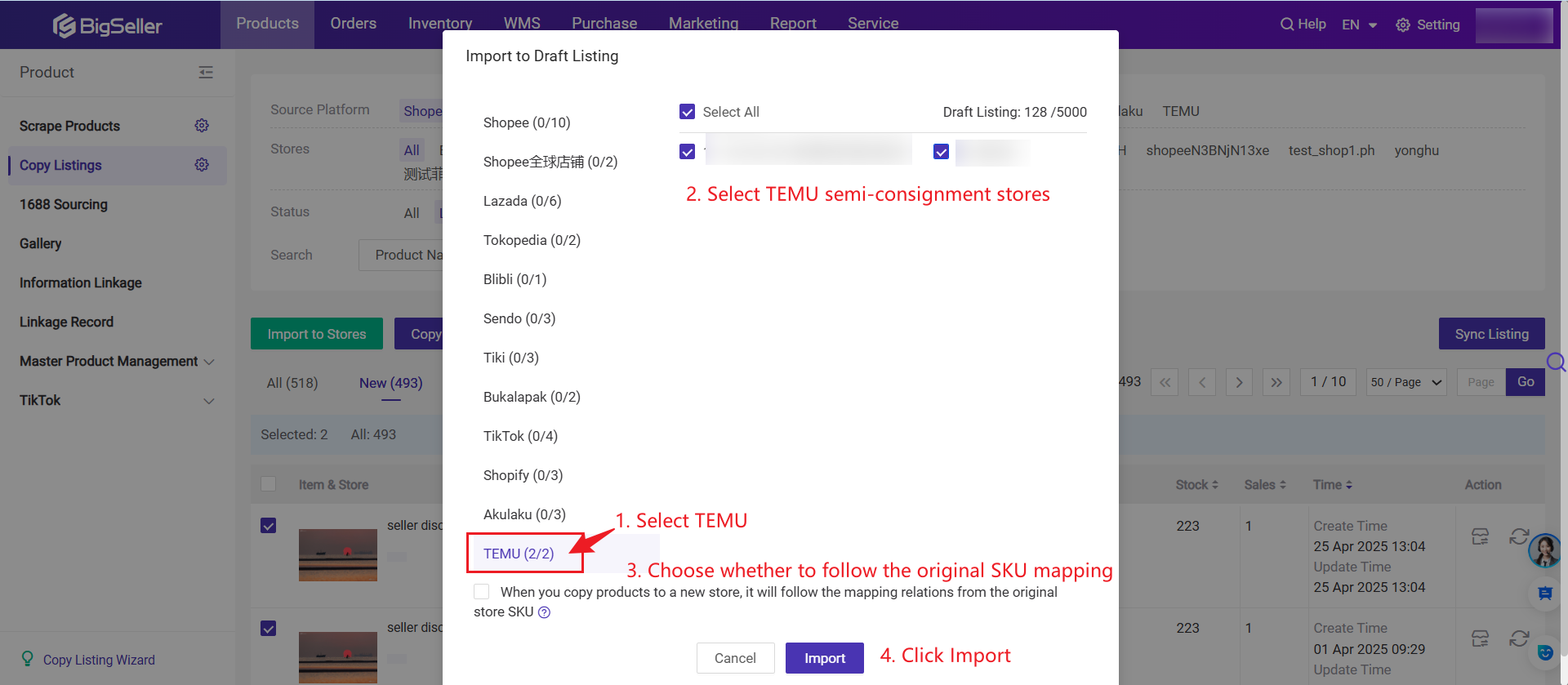
Step 3: Check imported products on Temu's Draft page and post-edit the product information before publishing.
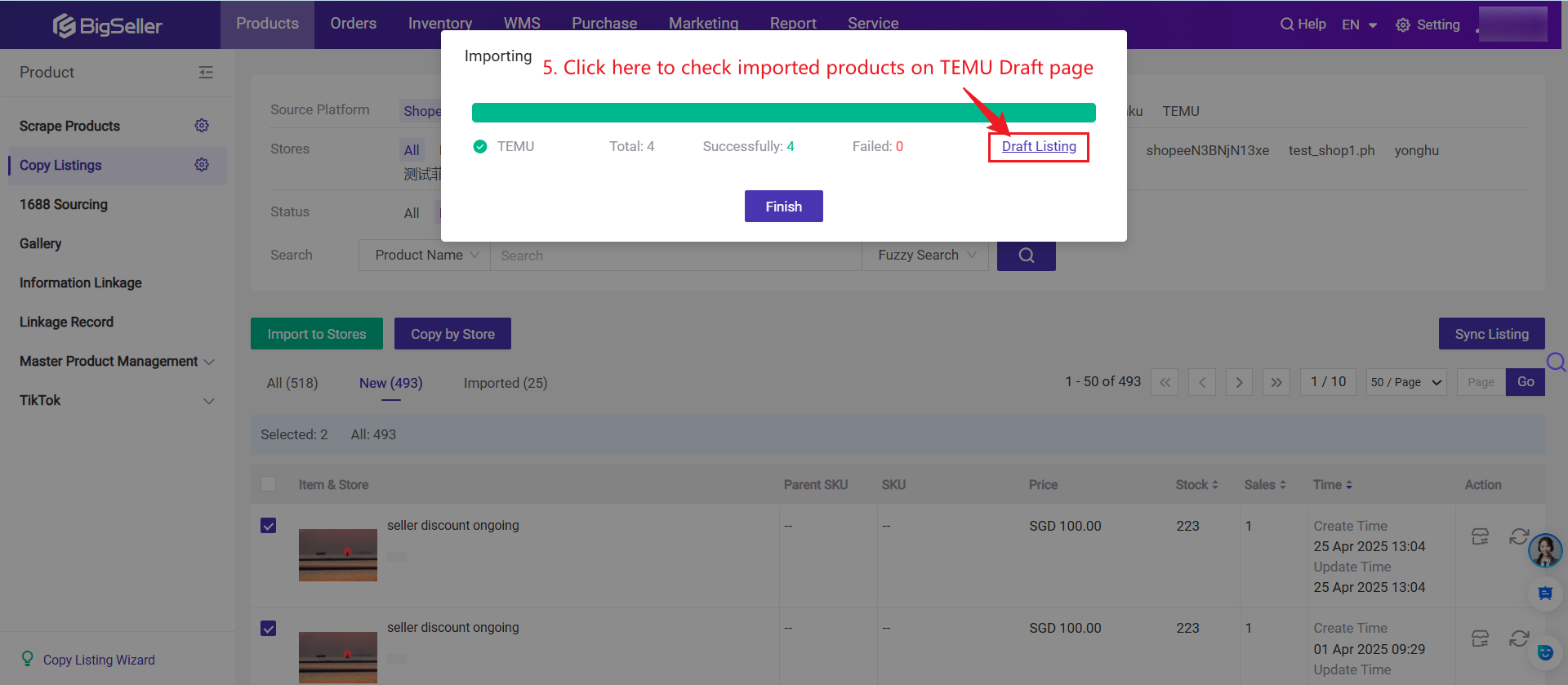
Step 4: Edit Products on the Draft page
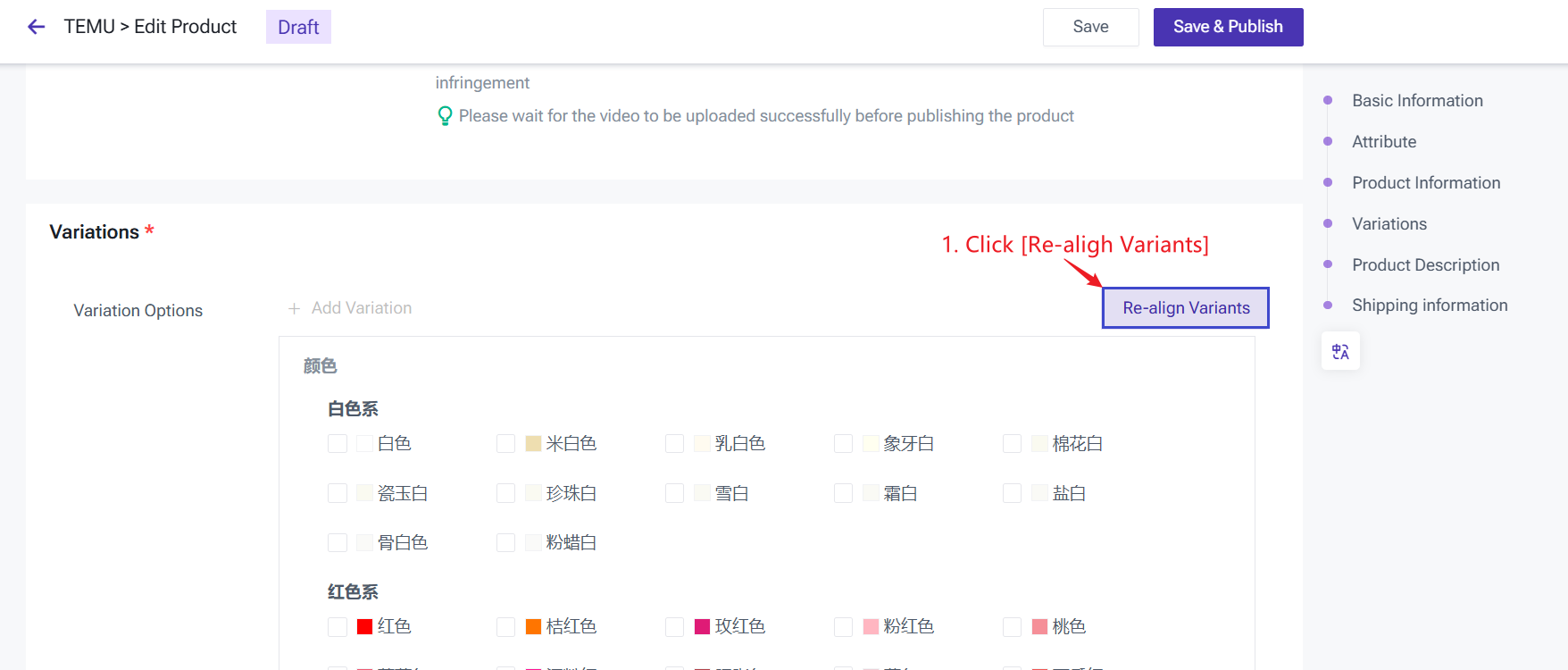
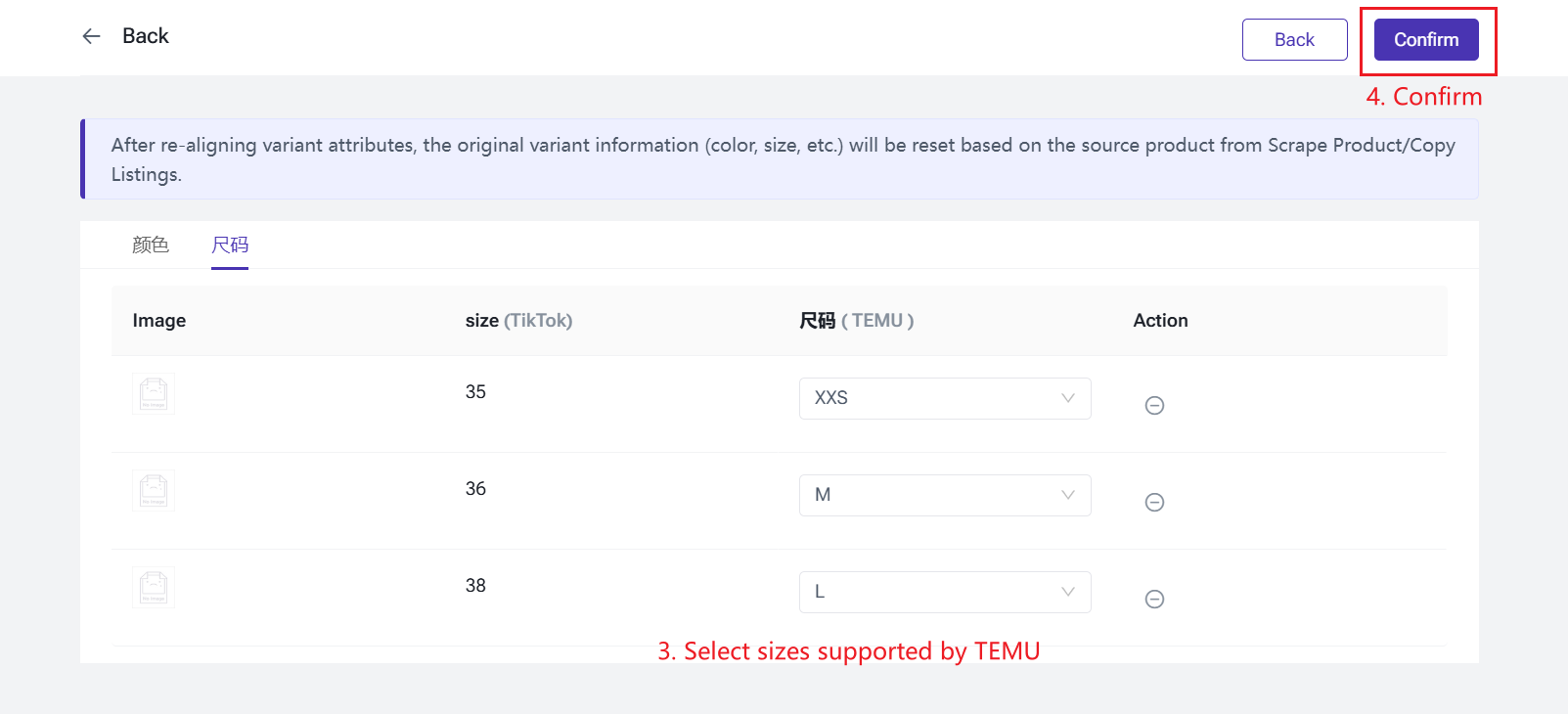
If the variation information displayed under Variation Options is incorrect—for example, if the original size does not correspond to the Temu size, you can click the [Re-align Variants] button to customize the mapping between the original product's variation option and the TEMU platform's variation options. After setting it up, you can reselect new variations on the TEMU platform for each variation of the original product.
For example, the original product's Color variant value "white" can be reselected as "off-white" on the TEMU platform, and the "Size" variant value "42" can be reselected as "42-43".
1) Go to TEMU Draft - Product Edit page > Click [Re-align Variants]
2) Map variation options between TikTok <=> TEMU

3) After re-aligning variant attributes, the original variant information (color, size, etc.) will be reset based on the source product from Scrape Product/Copy Listings.
2. Introduction to TEMU - Active Page
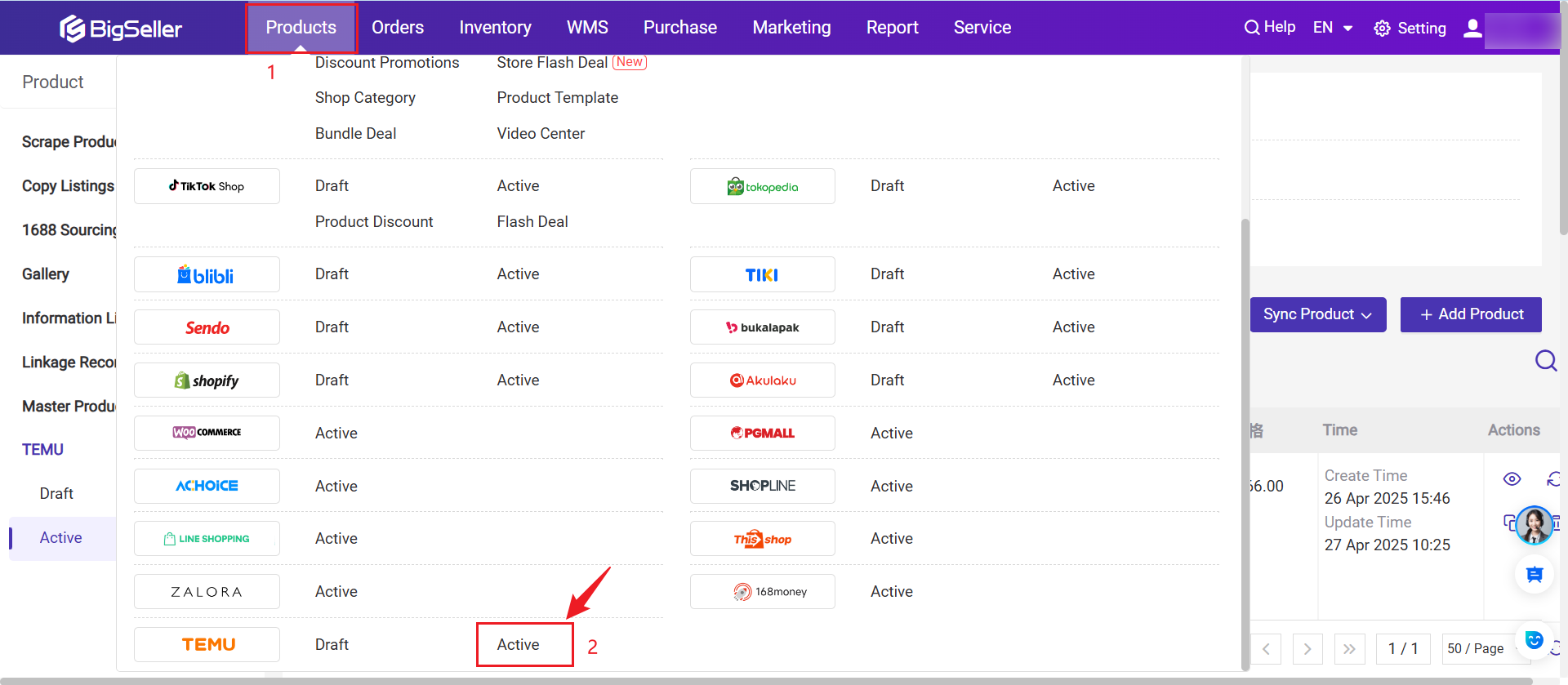
Actions Supported
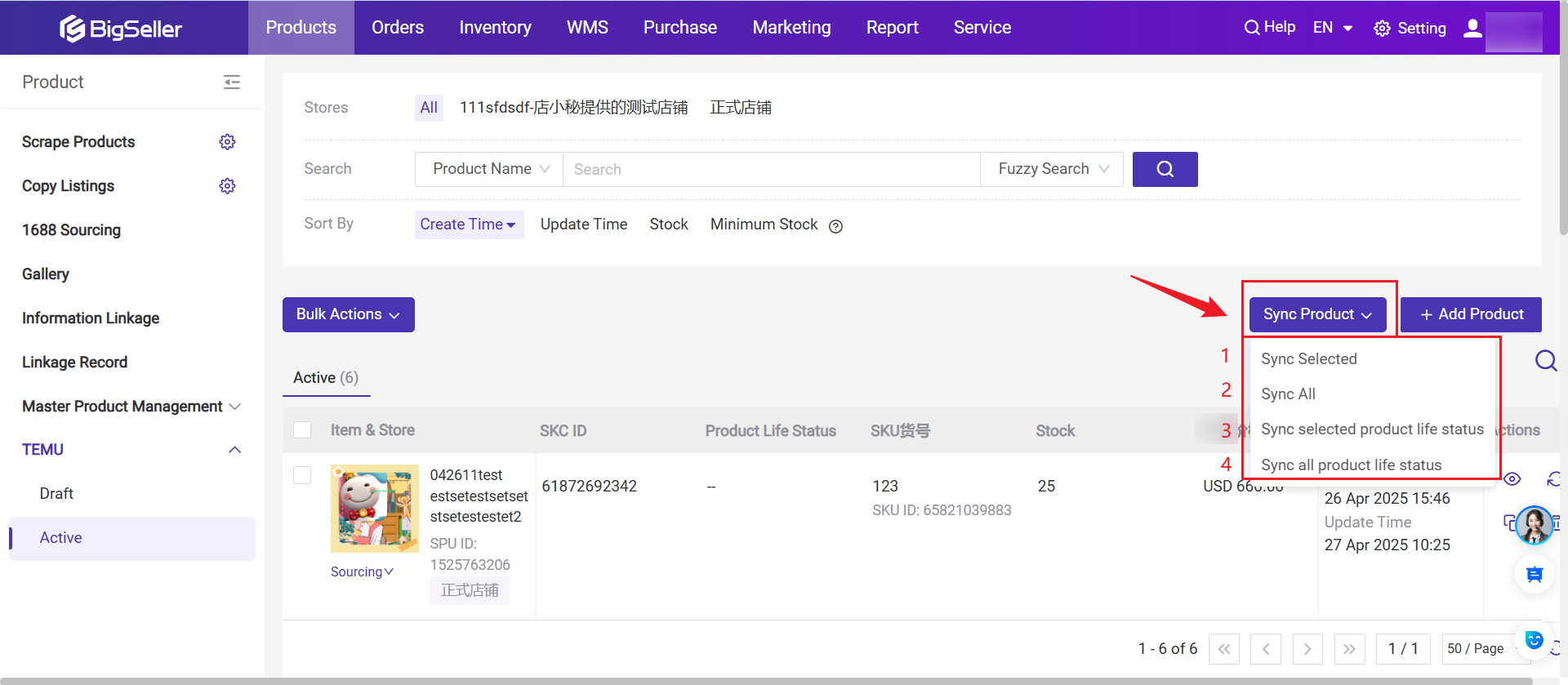
-
Sync Selected: Click to sync the product information (image, SKU id, SKC id, product name, SPU id, stock) of the selected products from TEMU Seller Central into BigSeller.
-
Sync All: Updates existing product information (image, SKU id, SKC id, product name, SPU id, stock) in BigSeller to the latest version. Products created in the seller central that have not yet been synced to BigSeller will also be displayed in BigSeller.
-
Sync Selected Product Life Status: Click to get the latest life status of the selcted products.
-
Sync All Product Life Status: Update life status of the all products from TEMU.
Due to platform API limitations, some product information cannot be updated, including:
-
Carousel images and videos
-
Size chart information
-
User manual
-
Product description (images and text)
-
English product name, external link, customization status, and shipping time
2) Filter and Search
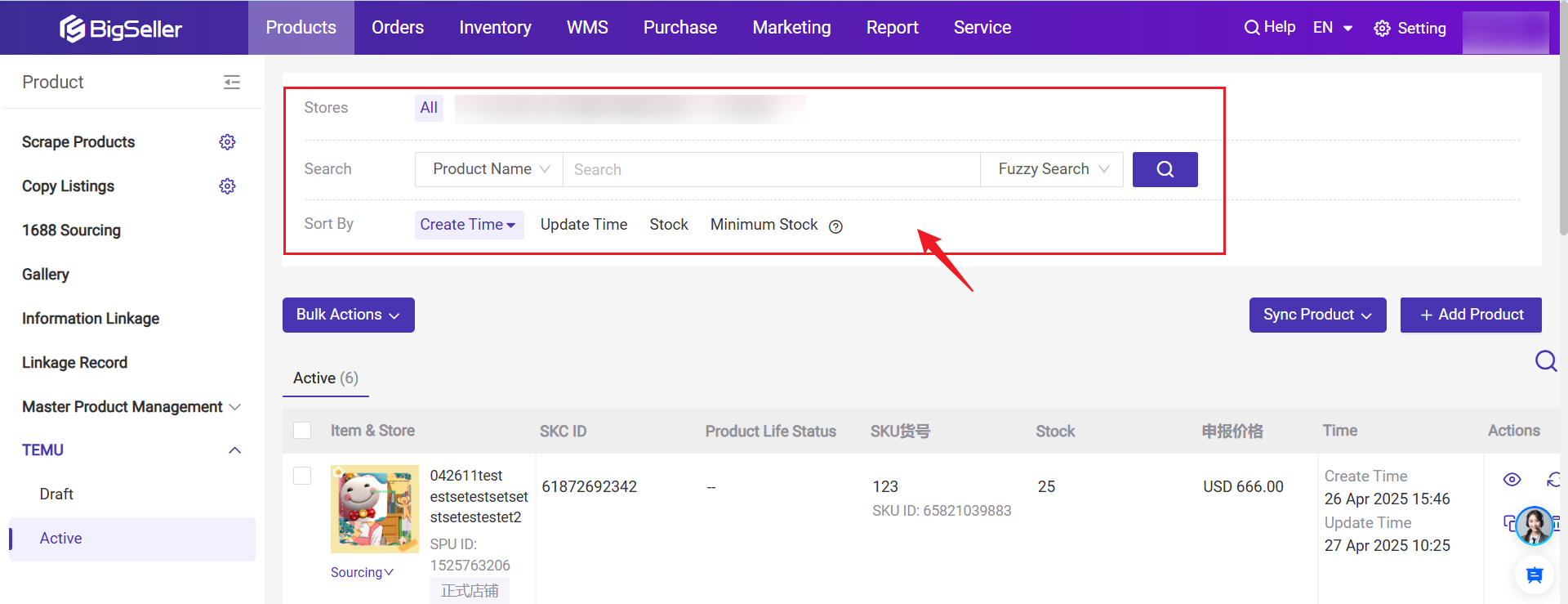
- You can search products by Product Name, SKC ID, SPU ID, SKU Name, SKU ID
- You can sort products by Update Time, Stock and Minimum Stock
3. Manually Add New Product
- You can publish products directly or save to draft.
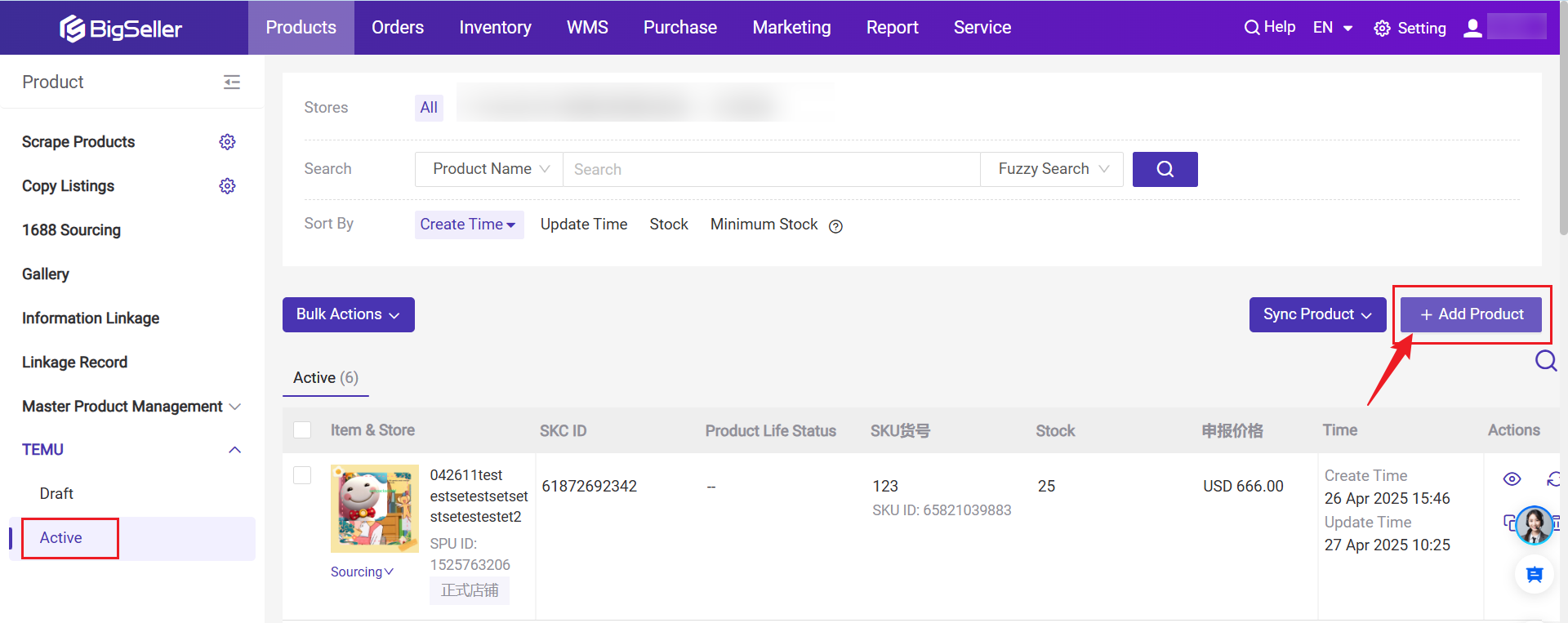
4. Other Actions
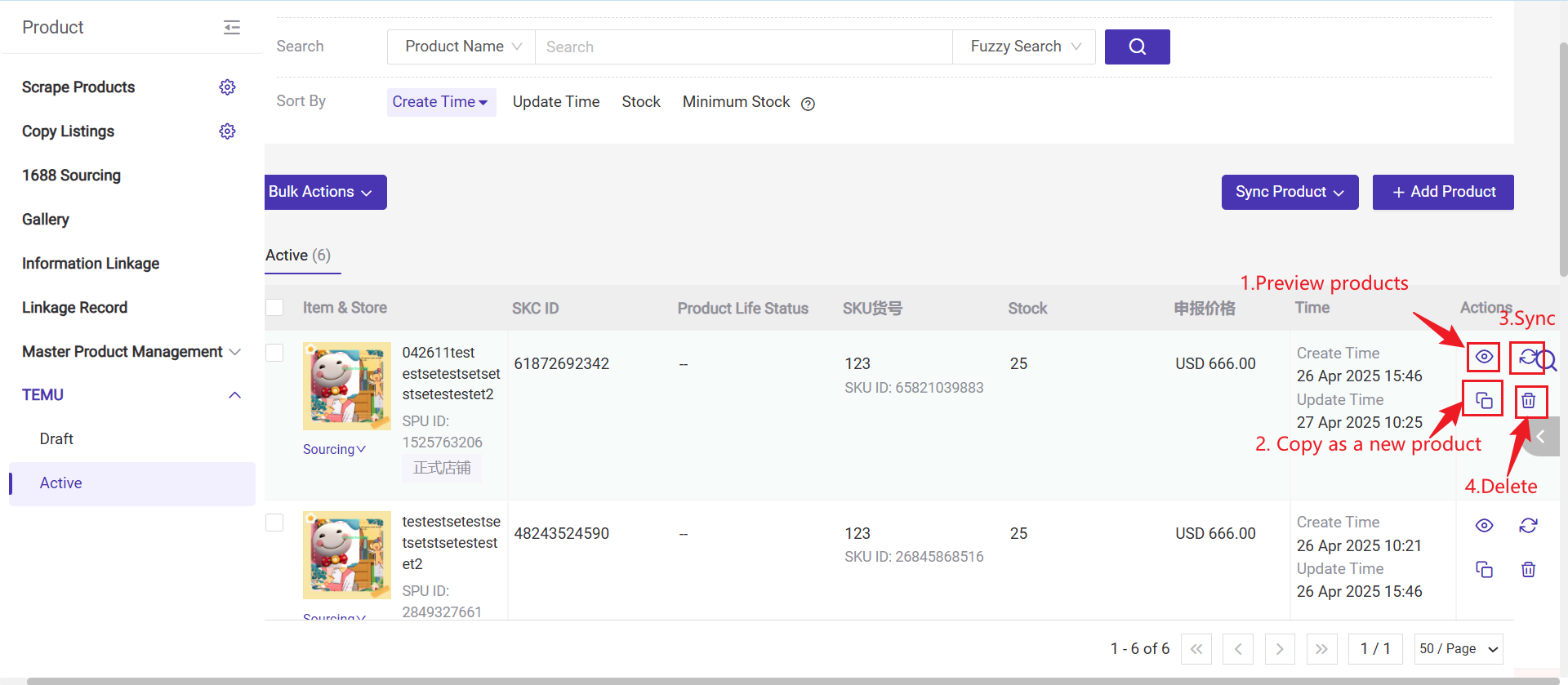
- Preview: Although updating product information is not supported, you can preview the product.
- Copy as a New Product: When creating a new product, you can copy from an existing online product, then go to the Draft page for further editing.
- Sync: If product information is modified in the Seller Center, you can click "Sync" to update to the latest information.
- Delete: Deleting a product in BigSeller will not delete the product in the Seller Center.
5. How to add a size chart to shoes products?
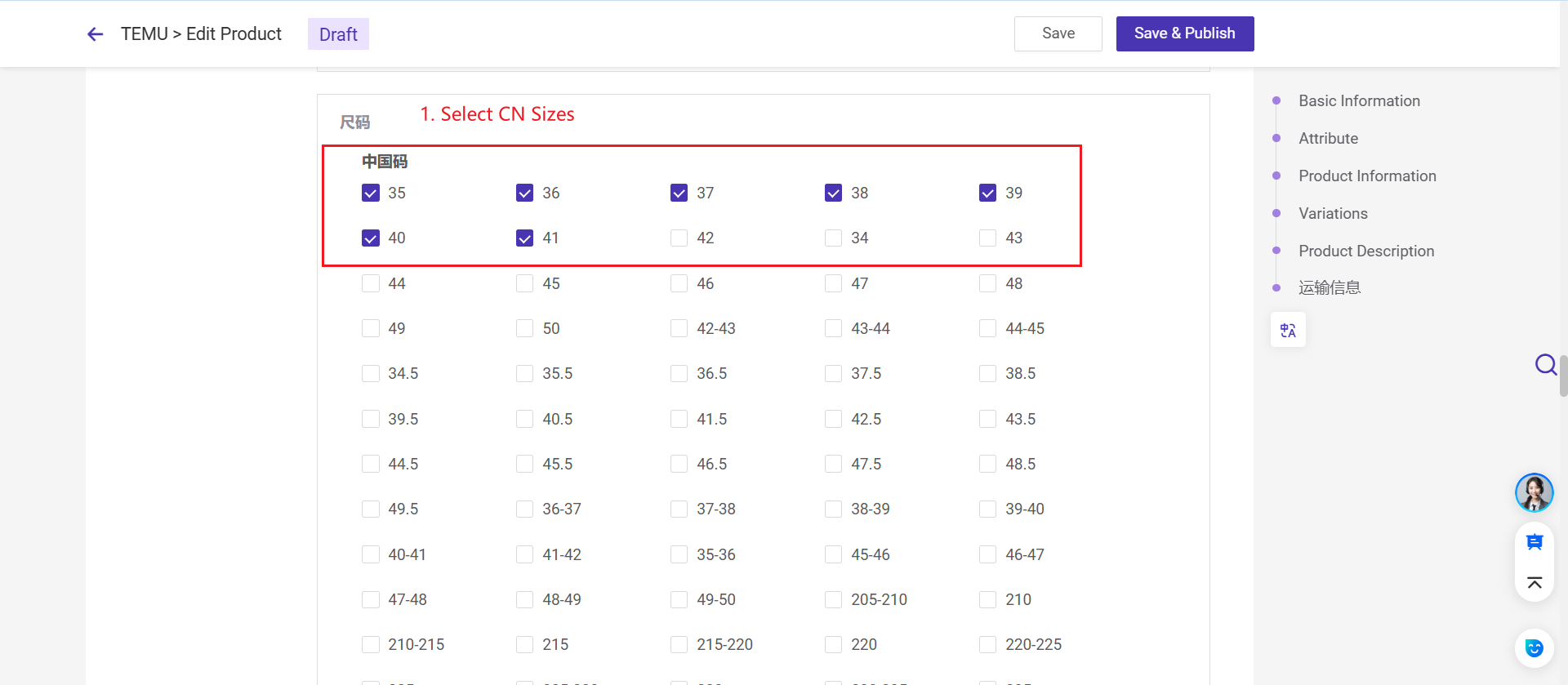
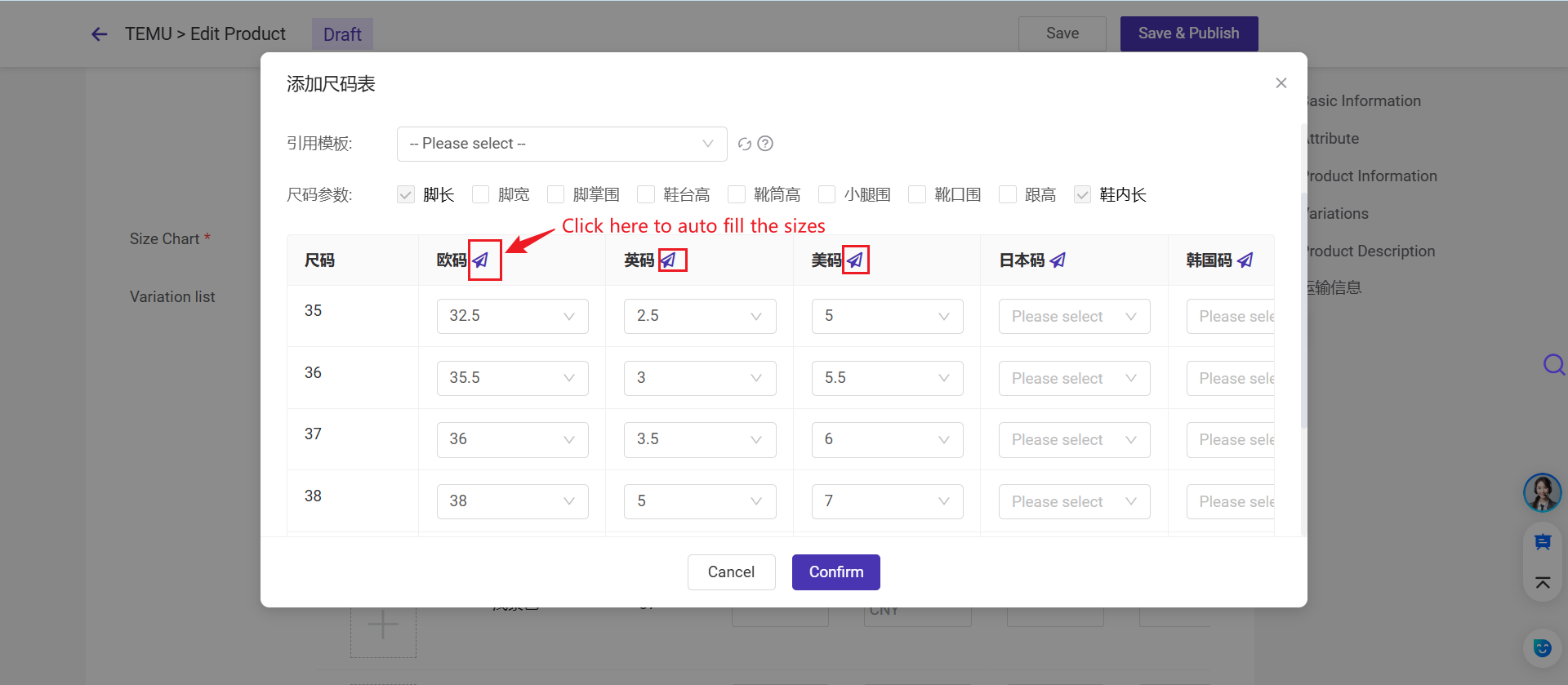
Footwear products are required to display and upload international size information. On BigSeller, you can add country-specific sizes to shoe listings and automatically convert them based on foot length.Step 1: Select CN sizes
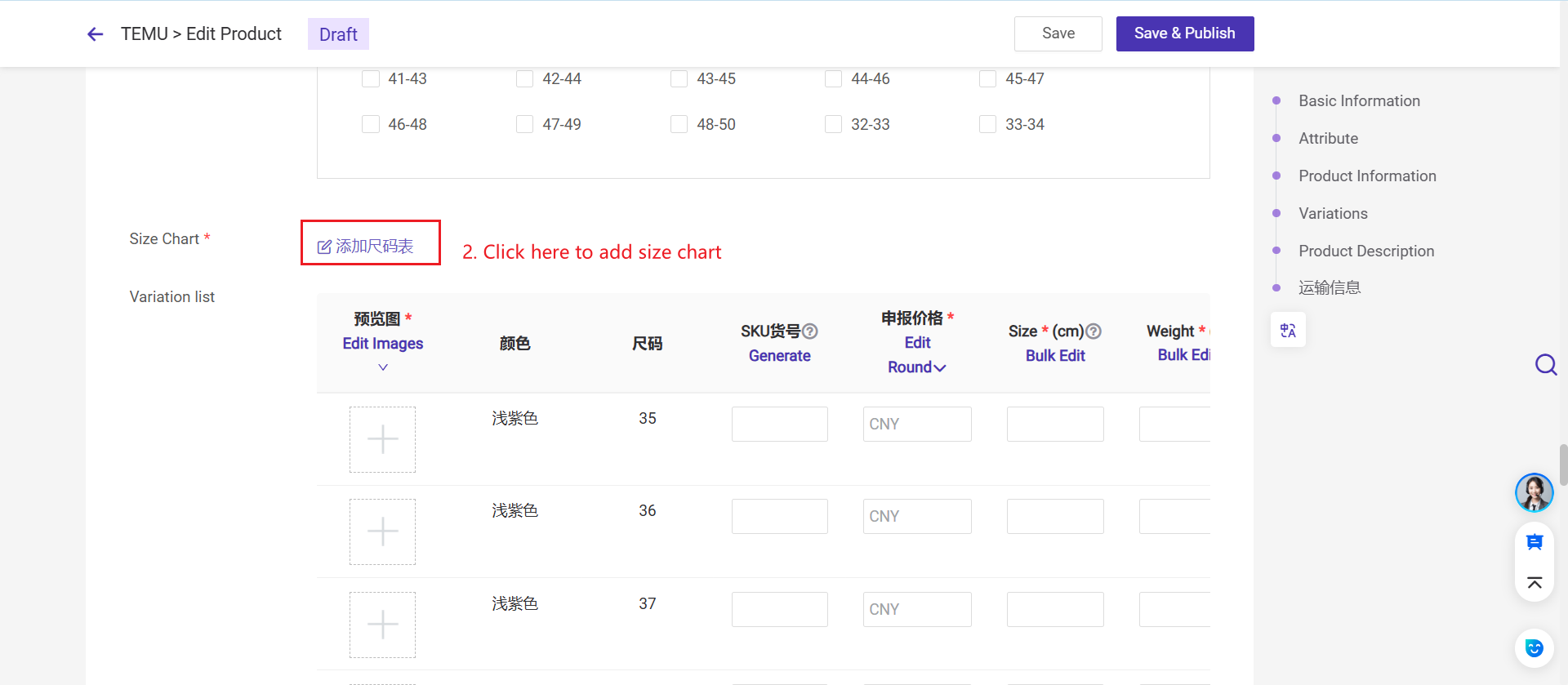
Step 2: Add Size Chart
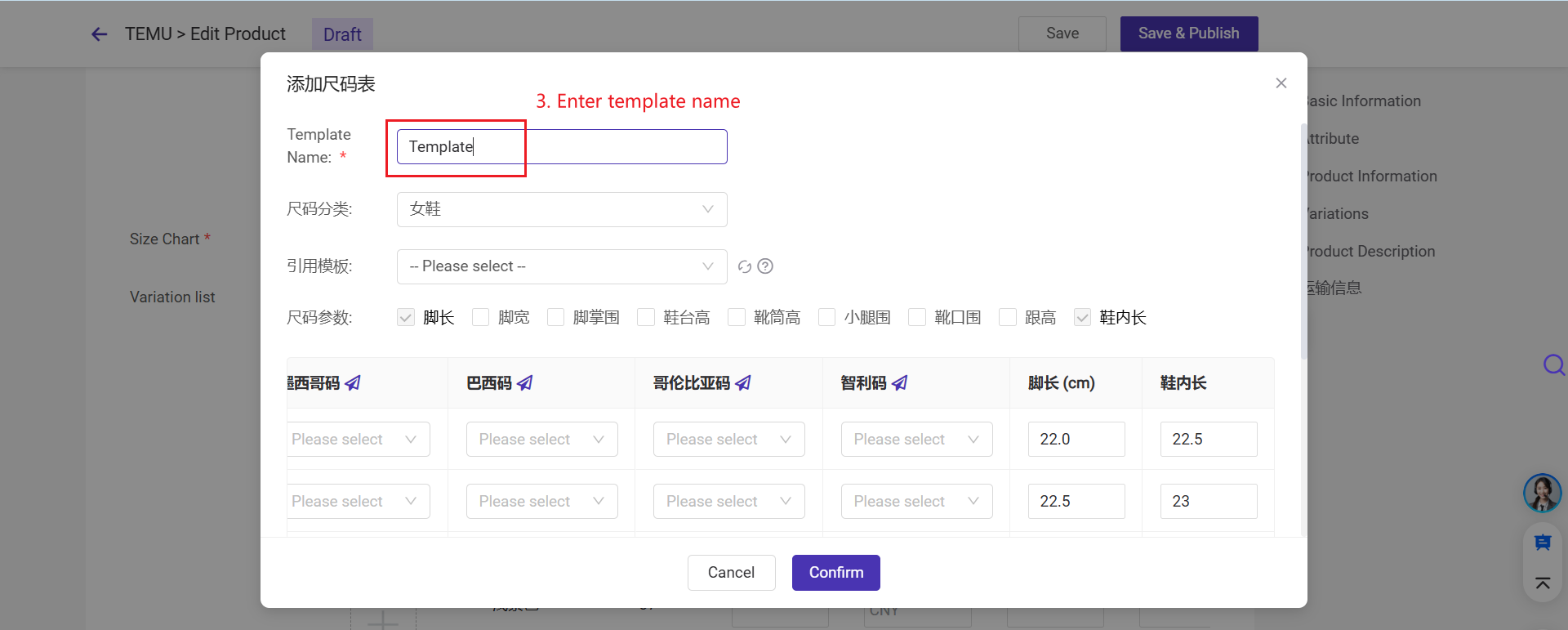
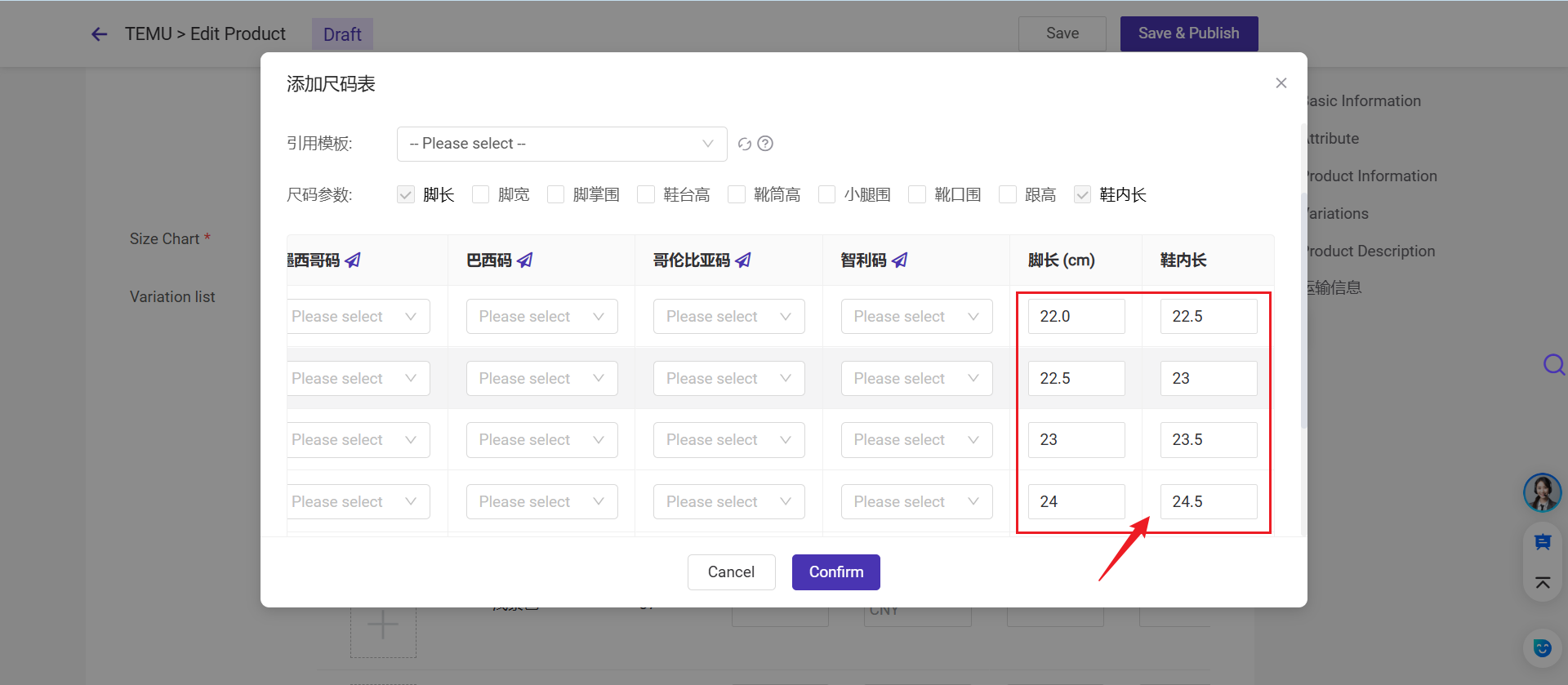
Step 3: Enter the foot length (cm) and insole length for each Chinese shoe size.
Step 5: One-click to auto-fill international sizes
Is this content helpful?
Thank you for your feedback. It drives us to provide better service.
Please contact us if the document can't answer your questions