🔥[New] Offline Promotion: Discount, Percentage Off, and Free Gift Campaigns for POS Retail Orders
Update Time: 19 Jan 2026 02:04
Overview
Marketing Tool Entry in POS Retail Orders: A new entry for the marketing tool is added to POS Retail Orders. Clicking it will redirect to the Marketing > Offline Promotion > Promotions page.
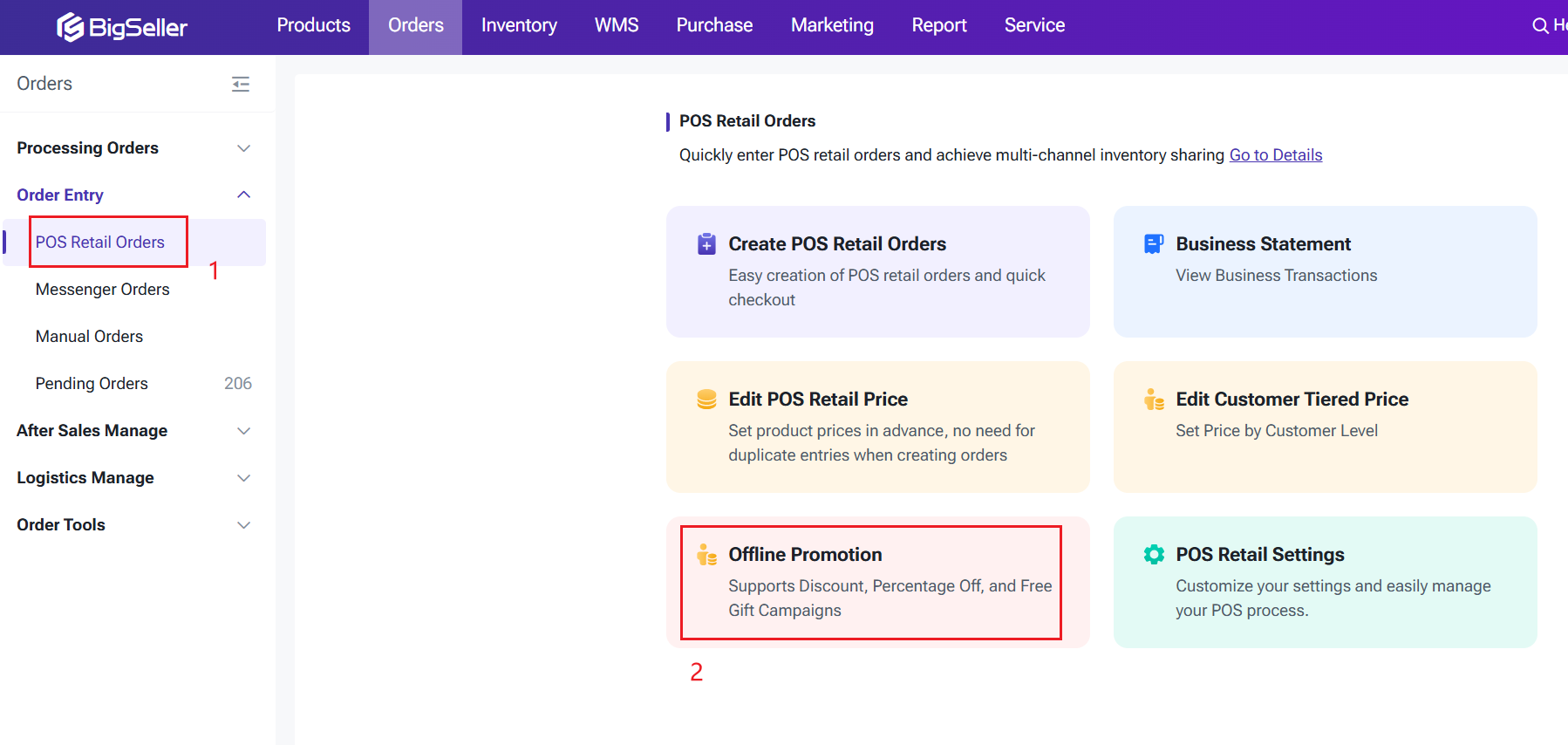
1. Promotion Types
This part includes SKU Promotion, Order Promotion, and Gift Promotion.
1.1 SKU Promotion
a. Discount Type: Choose between Amount Off or Percentage Off.
b. Discount Conditions: Supports tiered discounts based on purchase quantity and purchase amount.
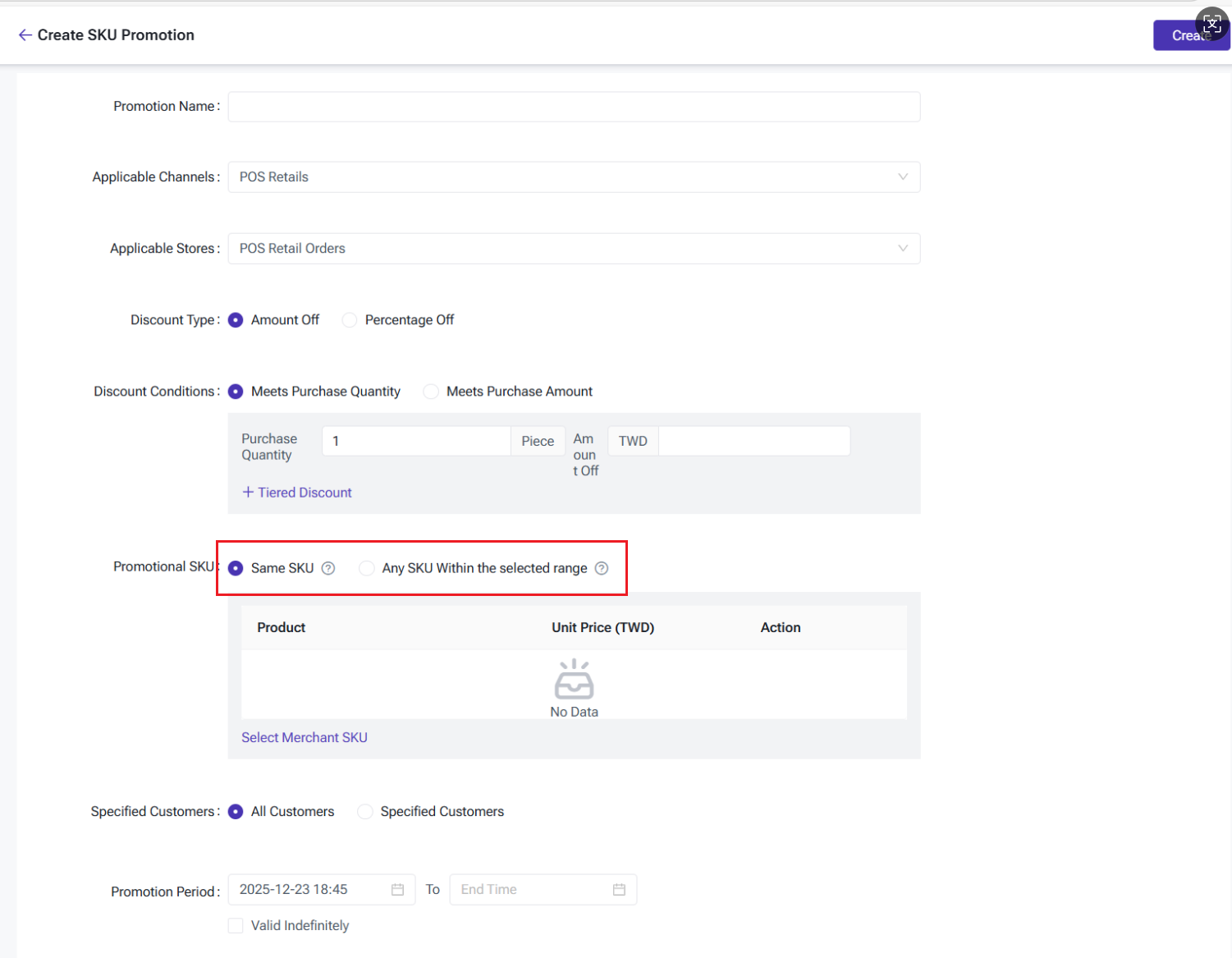
c. Promotional SKU: Allows selection of Merchant SKUs from linked warehouses within the store.
-
Same SKU: Each SKU must meet the conditions individually to apply. For example, "Buy 2 T-shirts, get 10 PHP off." If buy 2 units of SKU-1, the discount applies. However, if buy 1 unit of SKU-1 and 1 unit of SKU-2, the discount won’t apply.
-
Any SKU: The discount applies if any selected products meet the conditions. For example, "Buy 2 T-shirts, get 10 PHP off." If buy 1 unit of SKU-1 and 1 unit of SKU-2, the discount applies, and the discount is divided proportionally between the two products.
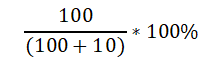
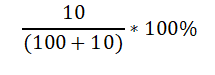
Proportional Distribution Logic: The discount is distributed proportionally based on the product’s price, with any remainder added to the higher-priced item.
Example: If the promotion is "Buy 2 items, get 10 PHP off" and Product A costs 100 PHP and Product B costs 10 PHP, the discounted prices would be 91 PHP for Product A and 9 PHP for Product B.
Logic Explaination
|
Product |
Price |
Proportional Logic |
After Discount |
|
A |
100 |
|
91 |
|
B |
10 |
|
9 |
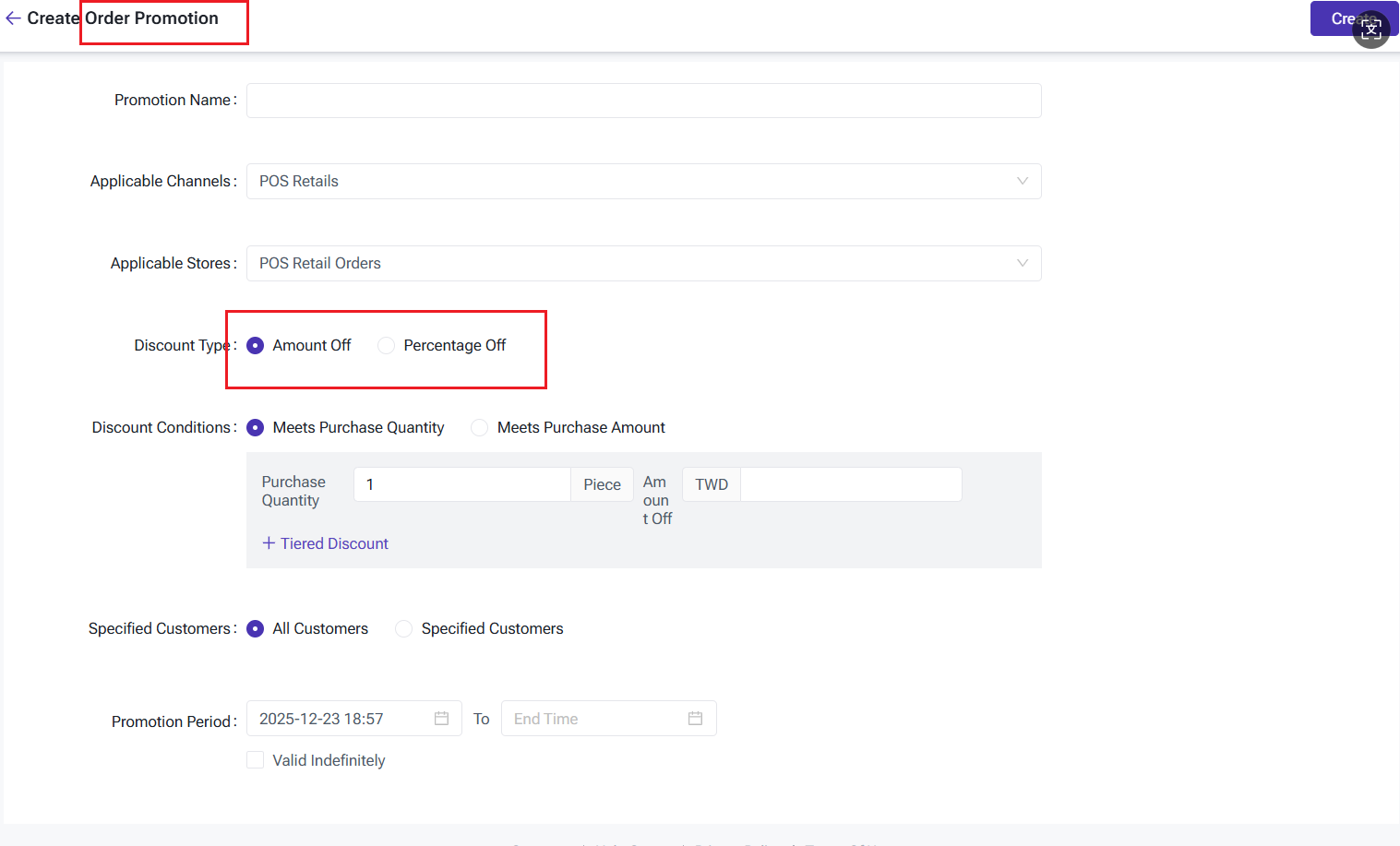
1.2 Order Promotion
a. Discount Type: Choose between Amount Off or Percentage Off.
b. Discount Conditions: Supports tiered discounts based on purchase quantity and amount.
1.3 Gift Promotion
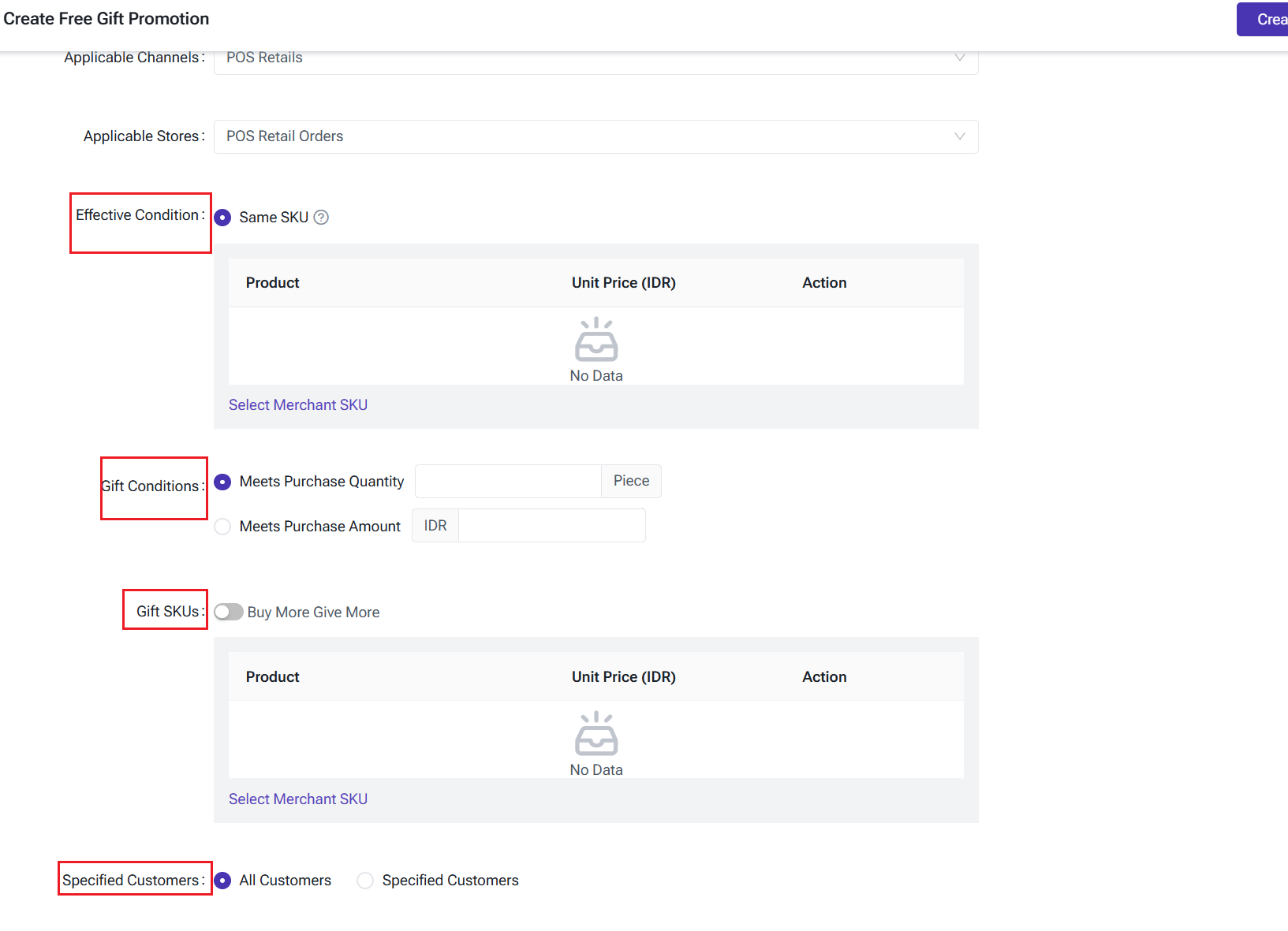
Activation Conditions: Apply to either the same SKU or any SKU within the selected range.
a. Eligible Products: Can select products from the store’s catalog that do not have active promotions.
b. Gift Conditions: Based on purchase quantity or total amount.
c. Gift SKUs:
-
Once the gift trigger condition (quantity or amount) is met, the gift(s) will be given all at once. For example, if the rule is to buy 1 unit of Product A and get 2 units of Product B and 2 units of Product C as a gift, all gifts are given together.
-
Supports "Buy More, Get More" — as the purchase quantity increases, the number of gifts increases proportionally based on the set condition.
2. Order Page
1. Product Information: When an activity applies, it will display the details of the promotion and any free gifts. Users can expand to view the full list of promotions.
2. Refund Logic for Returned Products: The refundable amount = Original product total price - Order discount.
Refund Calculation
- If only part of the order is returned, the discount will be distributed proportionally based on the discounted price of each product. (Round to two decimal places). For example, if the order discount is "Buy 100, Get 10 off," and Product A's discounted price is 90 (90% of total price), while Product B's price is 10 (10%), the refund for Product A is: Refund for Product A = 90 - (10 × 90%) = 81.
- Free gifts do not join the discount deducted.
3. Key Notes
2. Order Promotions: Only one active order promotion is allowed within the same store and timeframe.
3. Promotion Priority: Automatic product discounts (reduction/discount) > Manually set product discounts > Order reduction/discount Order promotions > Product full gift.
4. Creating promotional activities is not supported on BigSeller App. This feature is only available on the web version. Additionally, the promotion will only take effect in landscape mode; it will not be applied in portrait mode on POS systems.
Is this content helpful?
Thank you for your feedback. It drives us to provide better service.
Please contact us if the document can't answer your questions